



Help
Device guides
Alcatel
1s 2021

Alcatel 1s 2021

f-07f1cb78-85b1-4b77-bf6c-d043b9d0f1fb
f-6dc2b069-ed67-45a6-8c13-77ff7780d9e1
f-528fe775-77c7-436c-a685-082be3b7b51b
f-50cd58e0-fce2-428b-84d5-50c9219f6051
f-4f4e62ad-ee17-4981-a7c2-f6ca50d2b5c8
f-00dbf814-2ee3-429e-8abc-c19e26ac7794
  • Device home
  • Getting started
  • Basic functions
  • Calls, contacts, messaging
  • Connectivity
  • Specifications
  • Device home
  • Getting started
  • Basic functions
  • Calls, contacts, messaging
  • Connectivity
  • Specifications

Turning call barring on or off

You can block certain types of calls such as incoming calls when you're abroad.
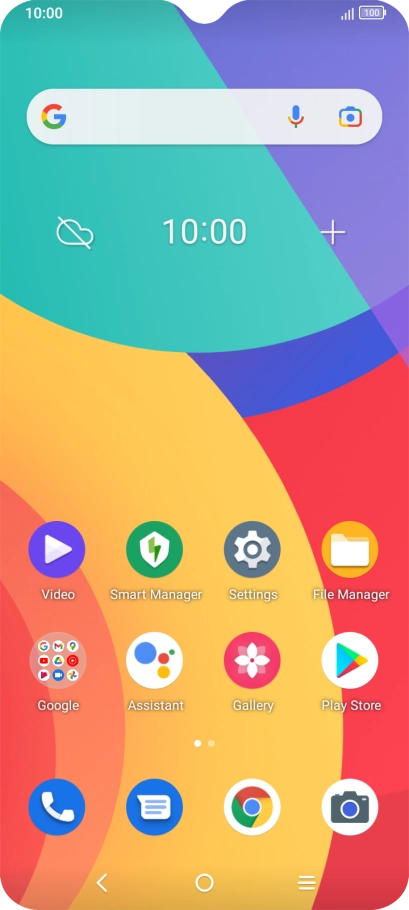
Press the phone icon.
Step 1 of 8

Press the phone icon.

Press the menu icon.
Step 2 of 8

Press the menu icon.

Press Settings.
Press Settings.
Step 3 of 8

Press Settings.

Press Call settings.
Step 4 of 8

Press Call settings.

Press Call barring.
Press Call barring.
Step 5 of 8

Press Call barring.

Press the required barring type to turn the function on or off.
Step 6 of 8

Press the required barring type to turn the function on or off.

Key in your barring password and press ENABLE.
Step 7 of 8

Key in your barring password and press ENABLE.

Press the Home key to return to the home screen.
Step 8 of 8

Press the Home key to return to the home screen.

Get information on...

Or choose...

Show more