Help
Device guides
EE
Smart Hub Pro

EE Smart Hub Pro

Windows 11
Mac OS Sonoma
f-47e554b3-75c1-4487-b308-fc1cedee894a
f-76018886-9f8e-4db5-a990-aa003e19bfcc
f-52b50695-b922-4bf8-9b01-e372ed226696
f-fd8bd09b-dd62-4229-a858-eed4e940b9c9
f-f92d5337-512b-4fa9-bd04-3a9cbafc70de
  • Device home
  • Getting started
  • Basic functions
  • Connectivity
  • Device home
  • Getting started
  • Basic functions
  • Connectivity

It's not possible to use my router as a Wi-Fi hotspot

Solution 3 of 5: The Wi-Fi hotspot password has been changed

Your router comes with a default password which is used when you establish a connection to the internet using your router's Wi-Fi hotspot. You can change this password. Remember, you need to establish a connection to the router web interface.
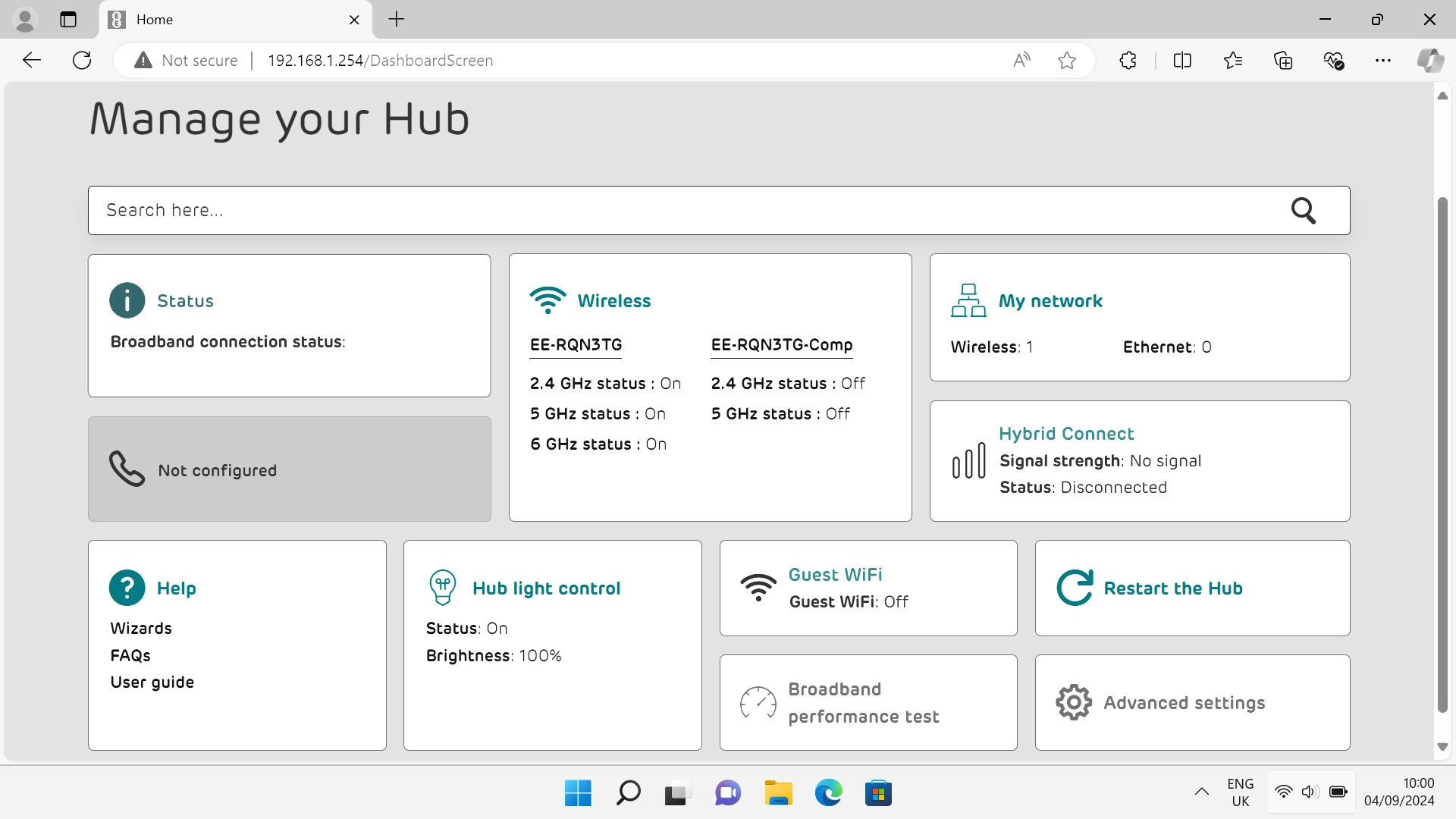
Click Advanced settings.
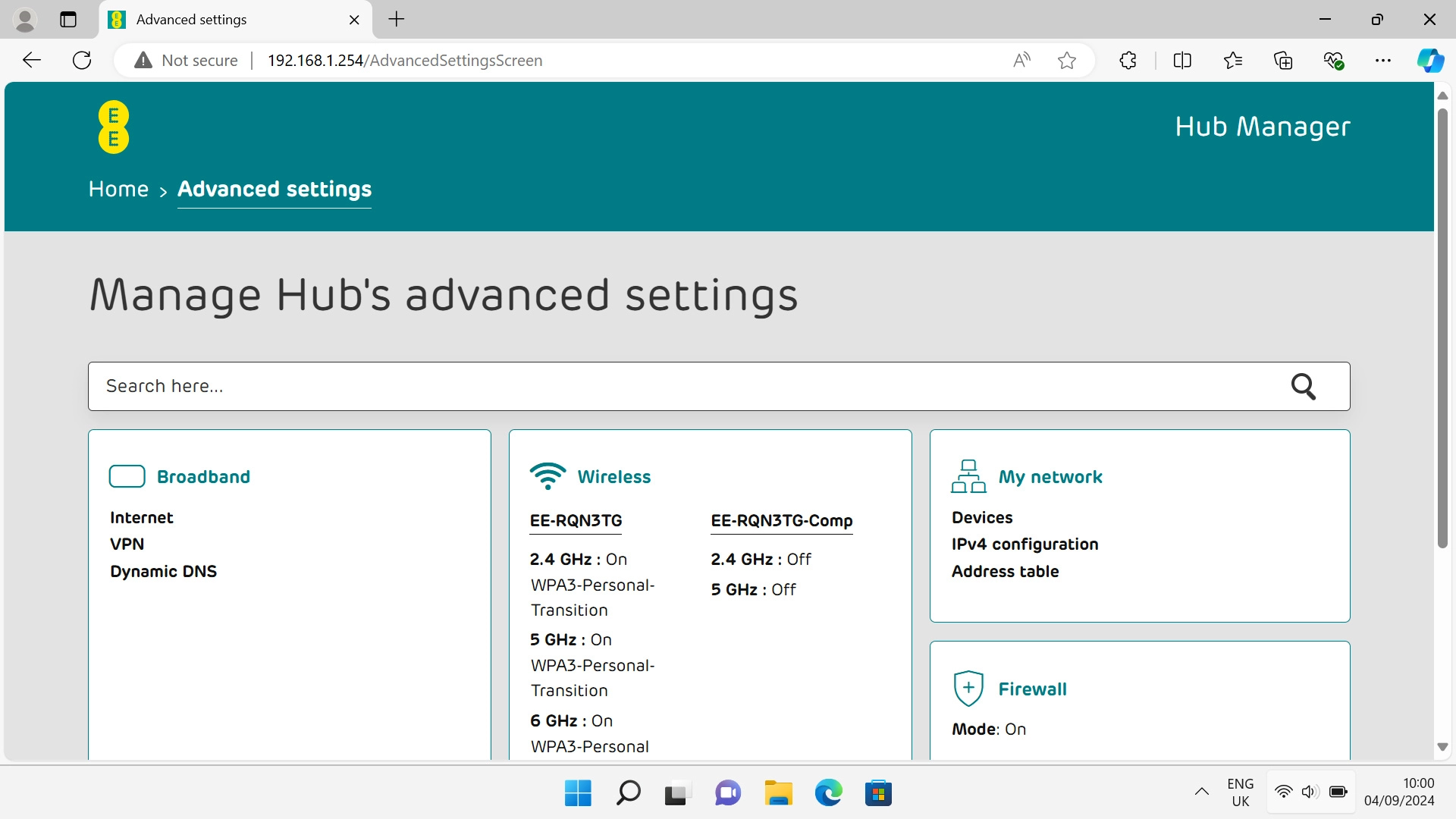
Step 1 of 11

Click Advanced settings.

Click Wireless and, if required, follow the instructions on the screen to key in the administrator password.
Step 2 of 11

Click Wireless and, if required, follow the instructions on the screen to key in the administrator password.

Click Show.
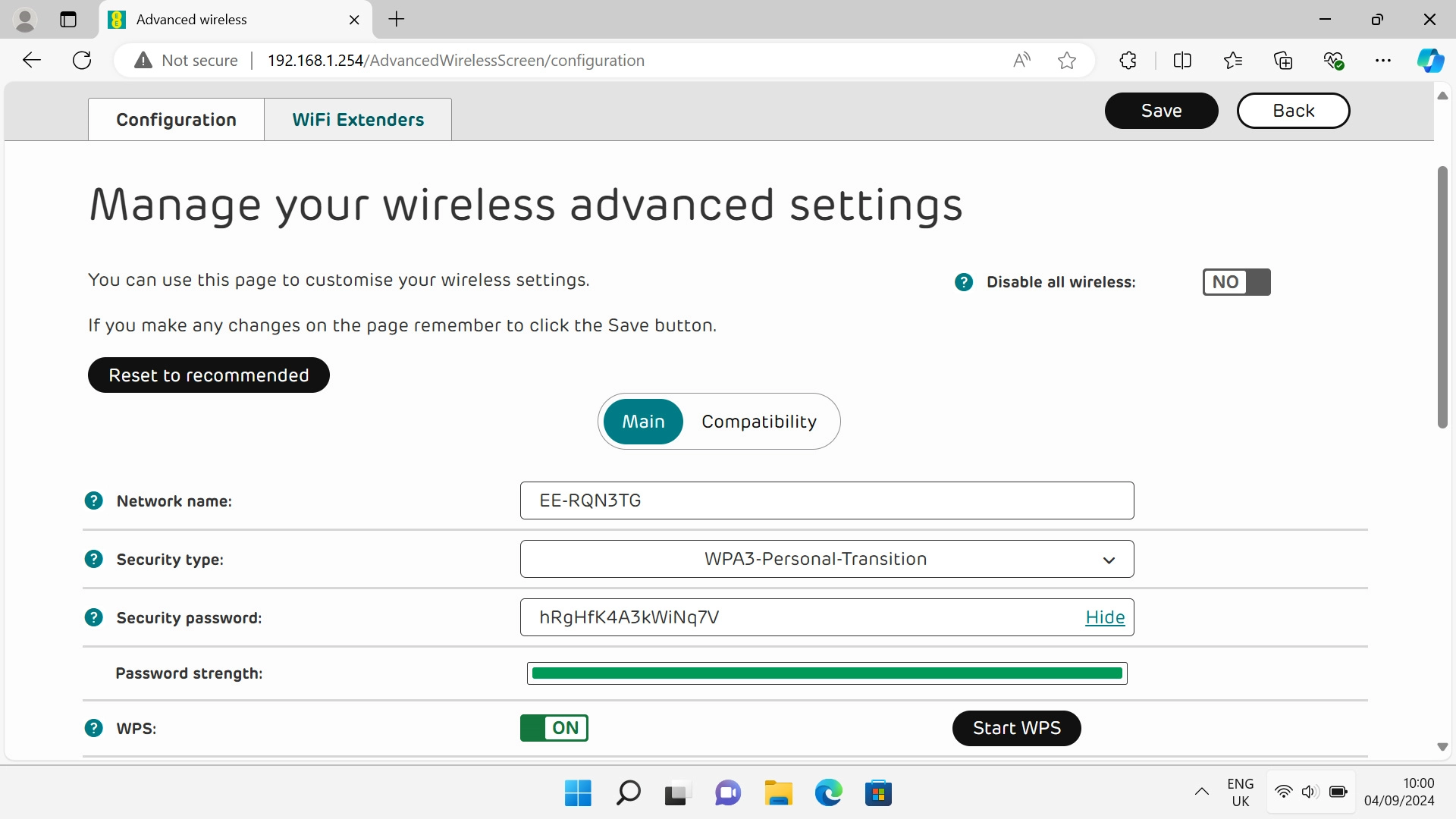
Click Show.
Step 3 of 11

Click Show.

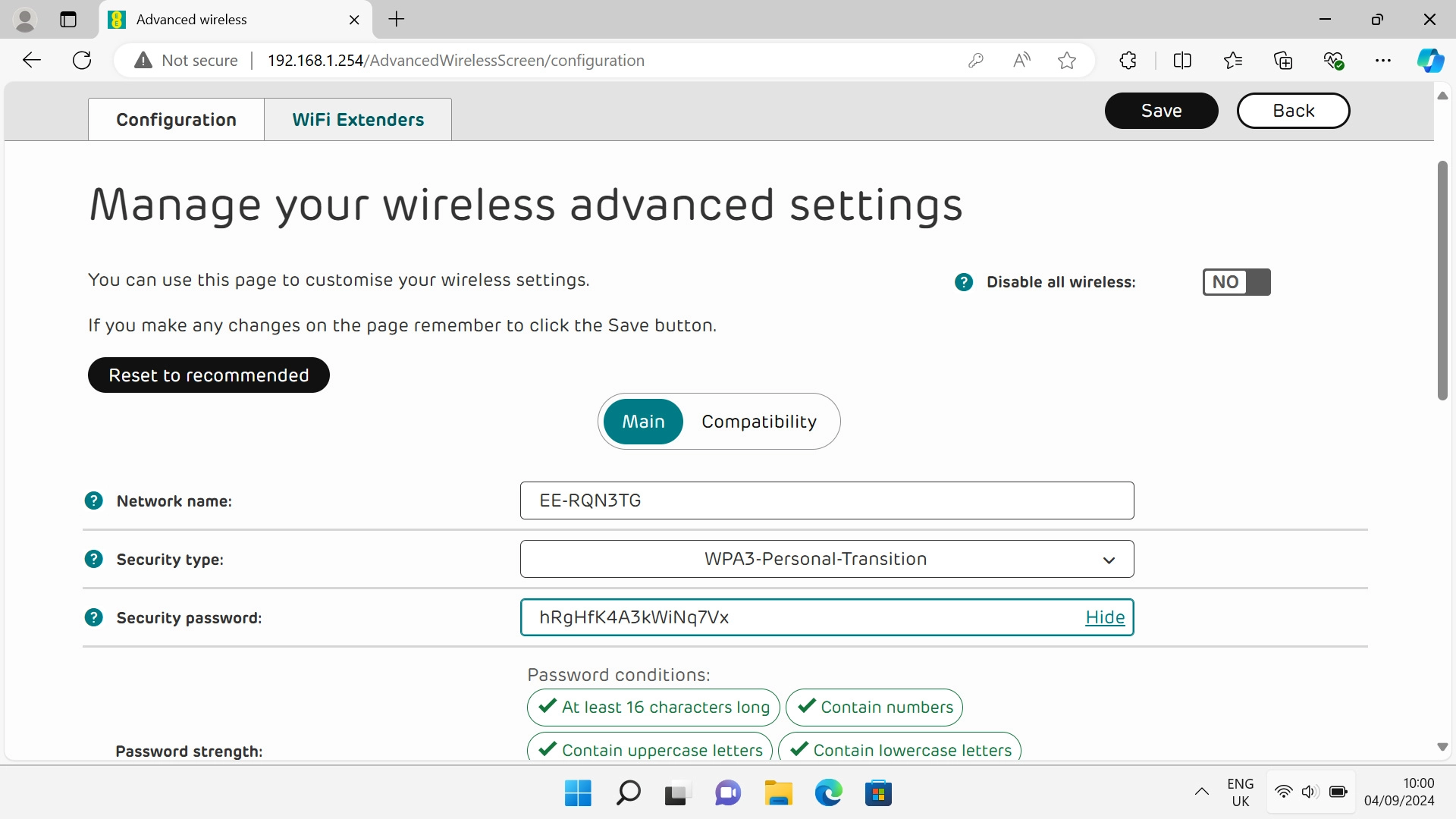
Click the field next to
Step 4 of 11

Click the field next to "Security password:" and key in the required password.
Click Save.
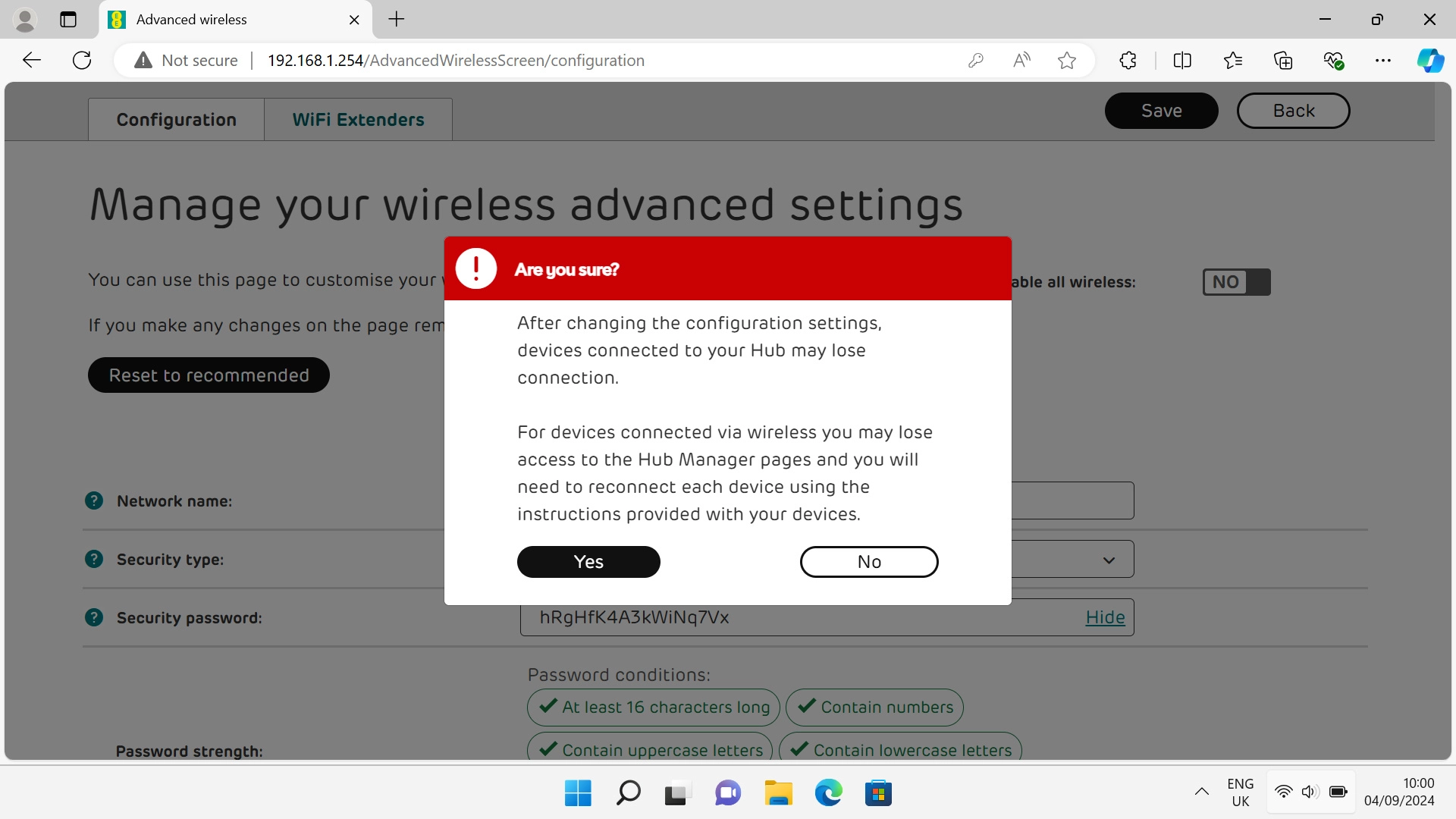
Click Save.
Step 5 of 11

Click Save.

Click Yes.
Click Yes.
Step 6 of 11

Click Yes.

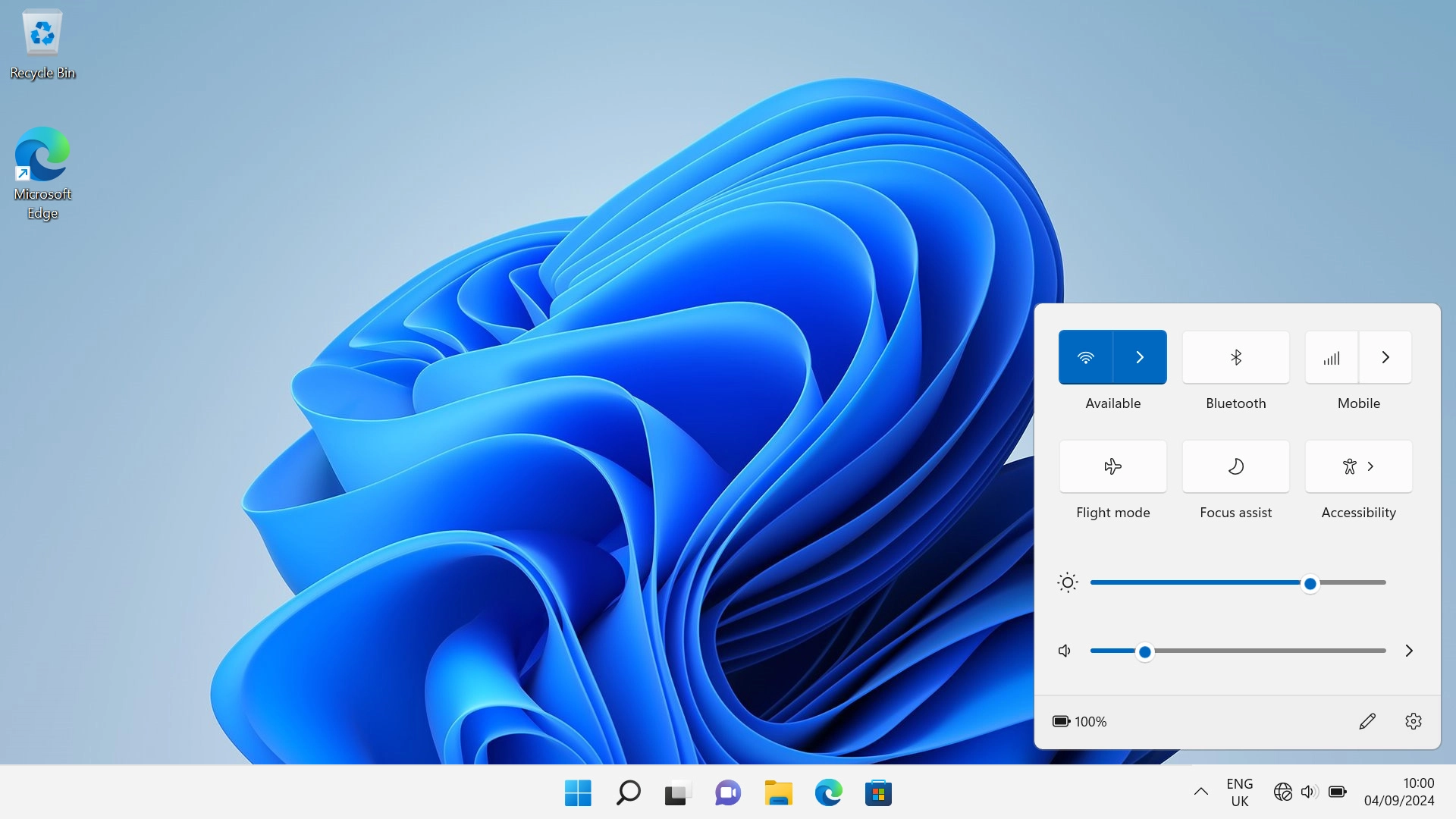
Click the menu field.
Step 7 of 11

Click the menu field.

Click arrow right next to the Wi-Fi icon.
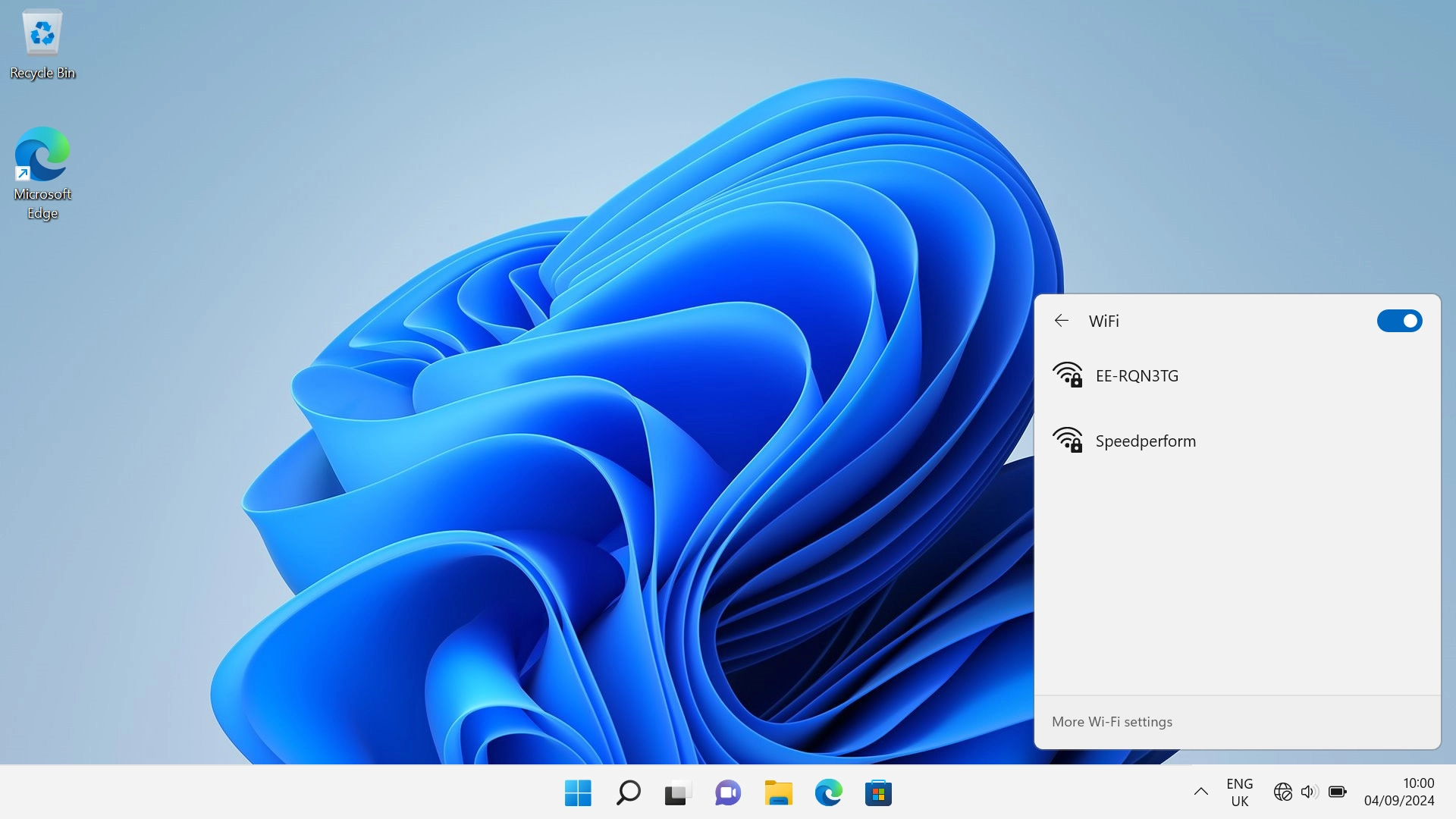
Step 8 of 11

Click arrow right next to the Wi-Fi icon.

Click More Wi-Fi settings.
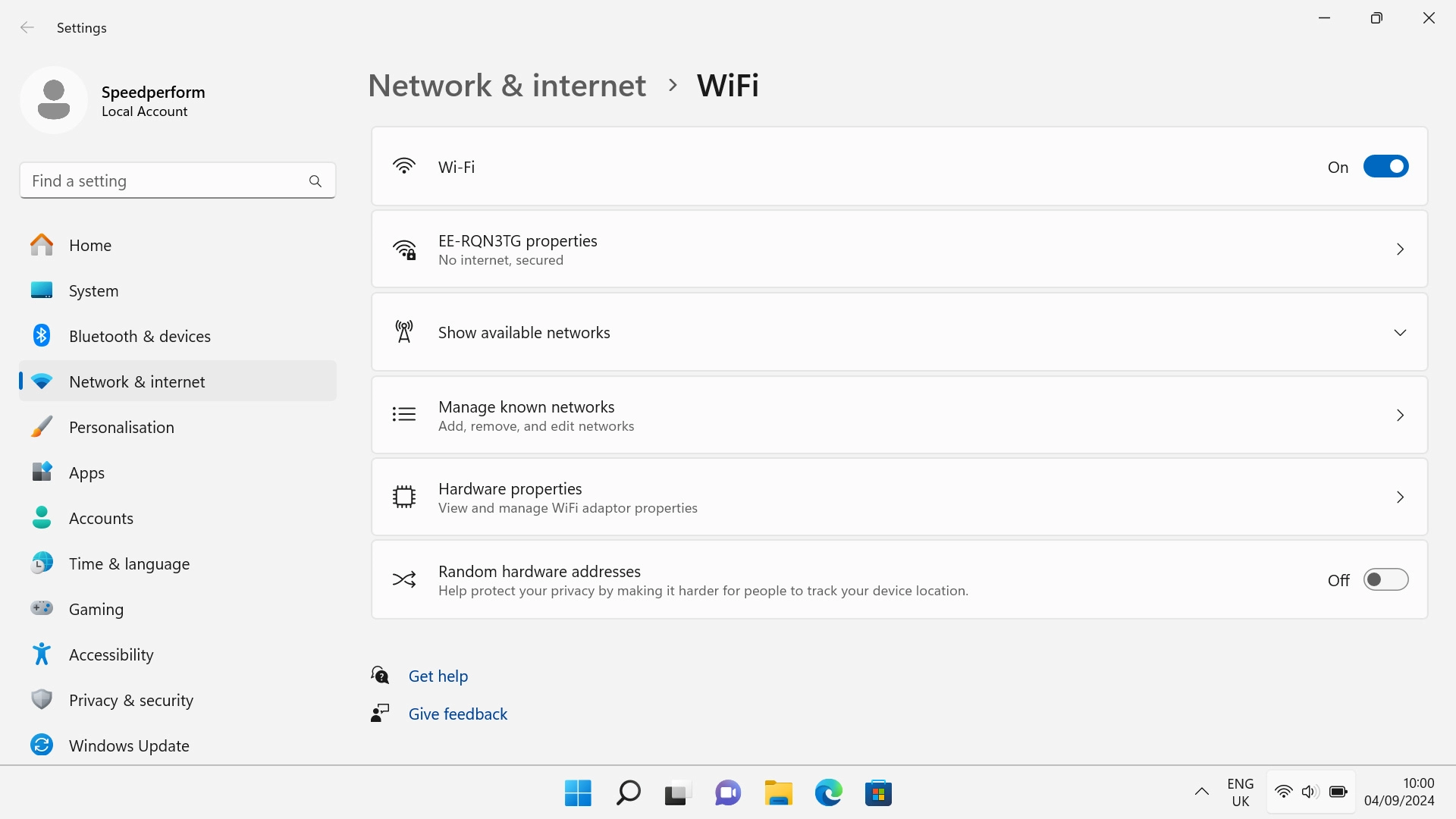
Step 9 of 11

Click More Wi-Fi settings.

Click Manage known networks.
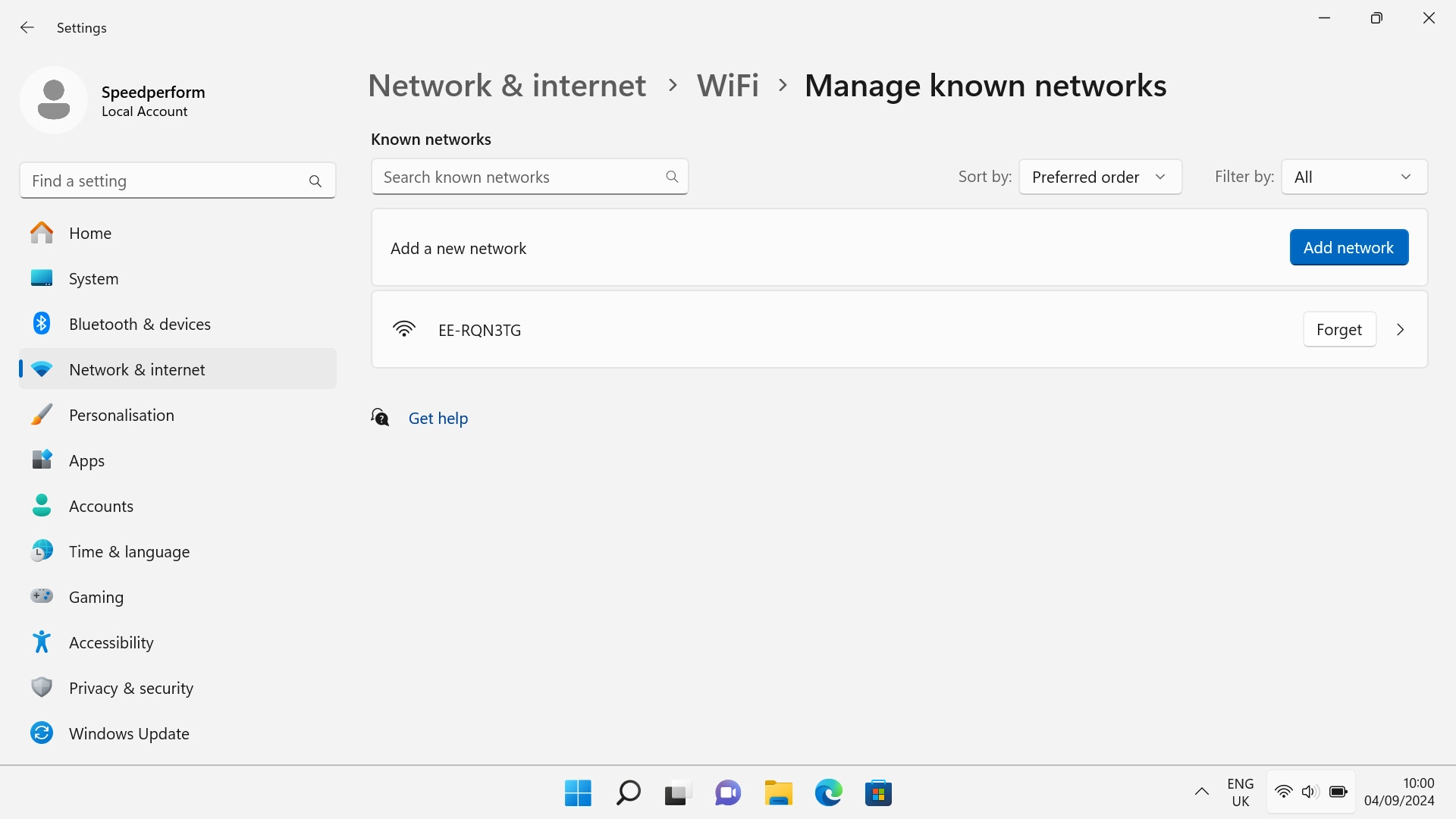
Step 10 of 11

Click Manage known networks.

Click Forget next to the required Wi-Fi hotspot.
Step 11 of 11

Click Forget next to the required Wi-Fi hotspot.


Did this solve your problem?

Yes No

Get information on...

Or choose...

Show more