Help
Device guides
EE
TV Box Mini

EE TV Box Mini

f-2ec65afa-7bf3-4726-915b-400dc37fa6c4
f-6456bcbf-c372-4e98-a1cd-969f0af566aa
  • Device home
  • Getting started
  • Functions
  • Settings
  • Device home
  • Getting started
  • Functions
  • Settings

Restoring factory default settings

If your set-top box gets slow or doesn't work as it usually does, it may help to restore the factory default settings.
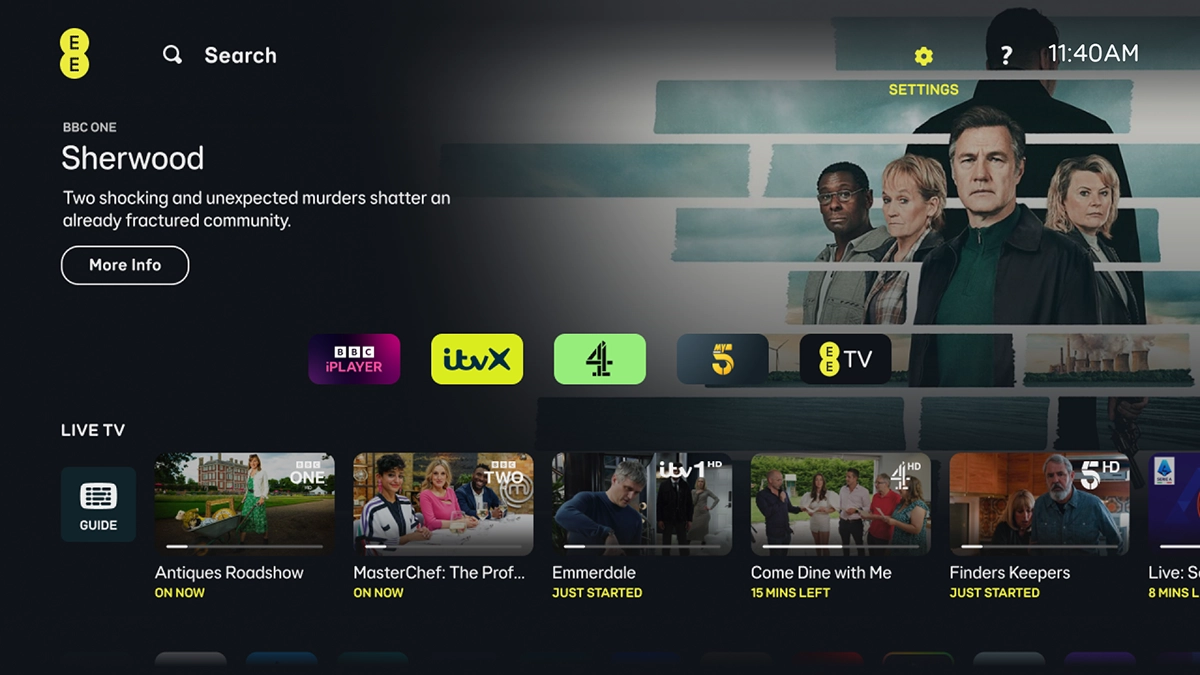
Highlight SETTINGS.
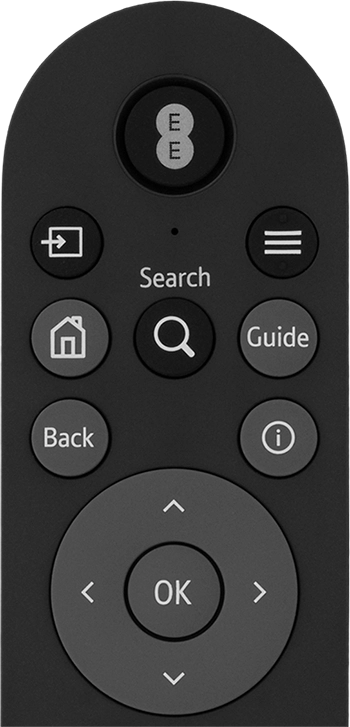
Highlight SETTINGS.
Step 1 of 7

Highlight SETTINGS.

Press OK.
Press OK.
Step 2 of 7

Press OK.

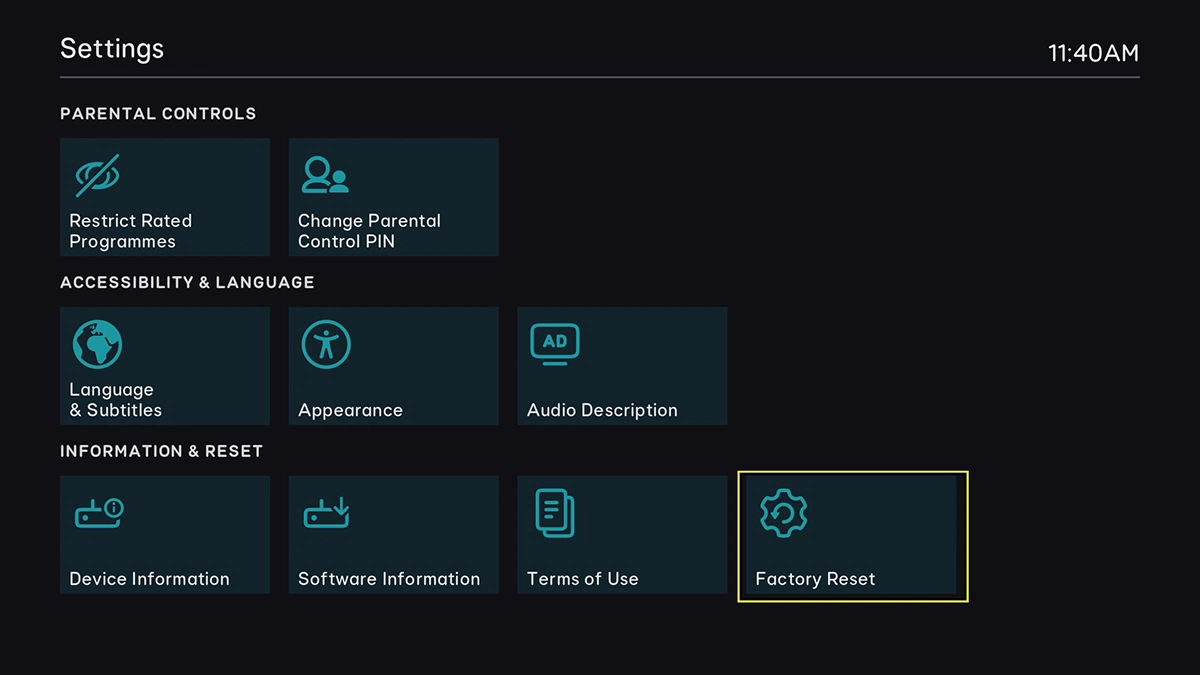
Highlight Factory Reset.
Step 3 of 7

Highlight Factory Reset.

Press OK.
Press OK.
Step 4 of 7

Press OK.

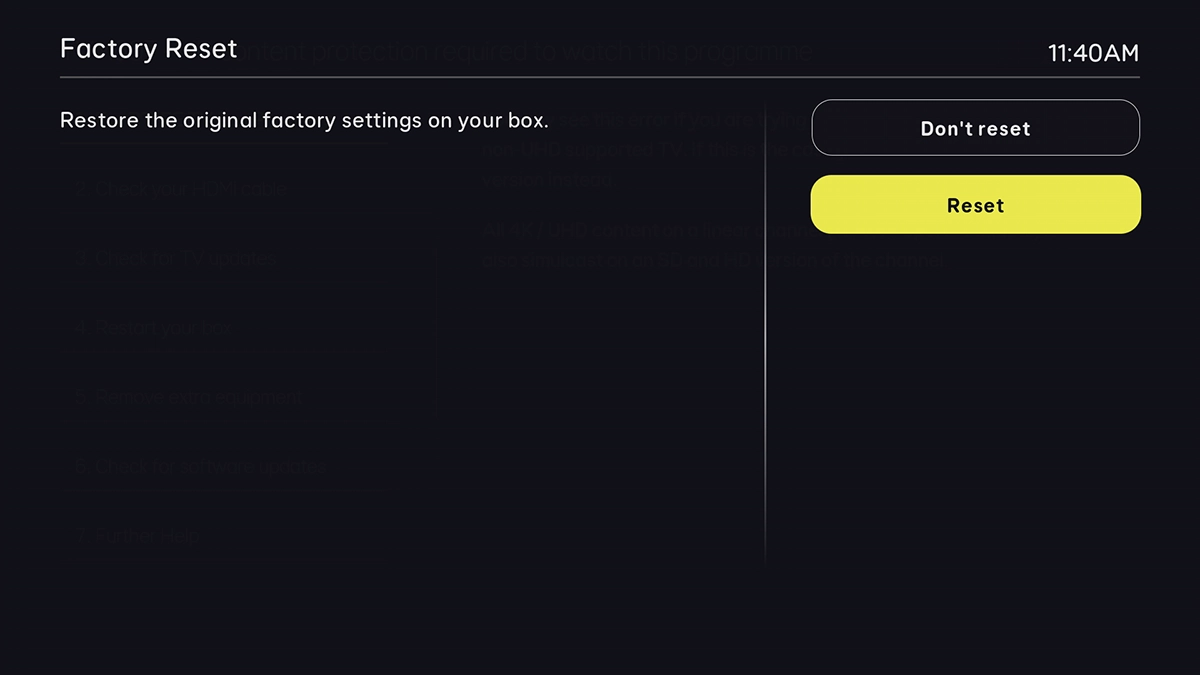
Highlight Reset.
Highlight Reset.
Step 5 of 7

Highlight Reset.

Press OK.
Press OK.
Step 6 of 7

Press OK.

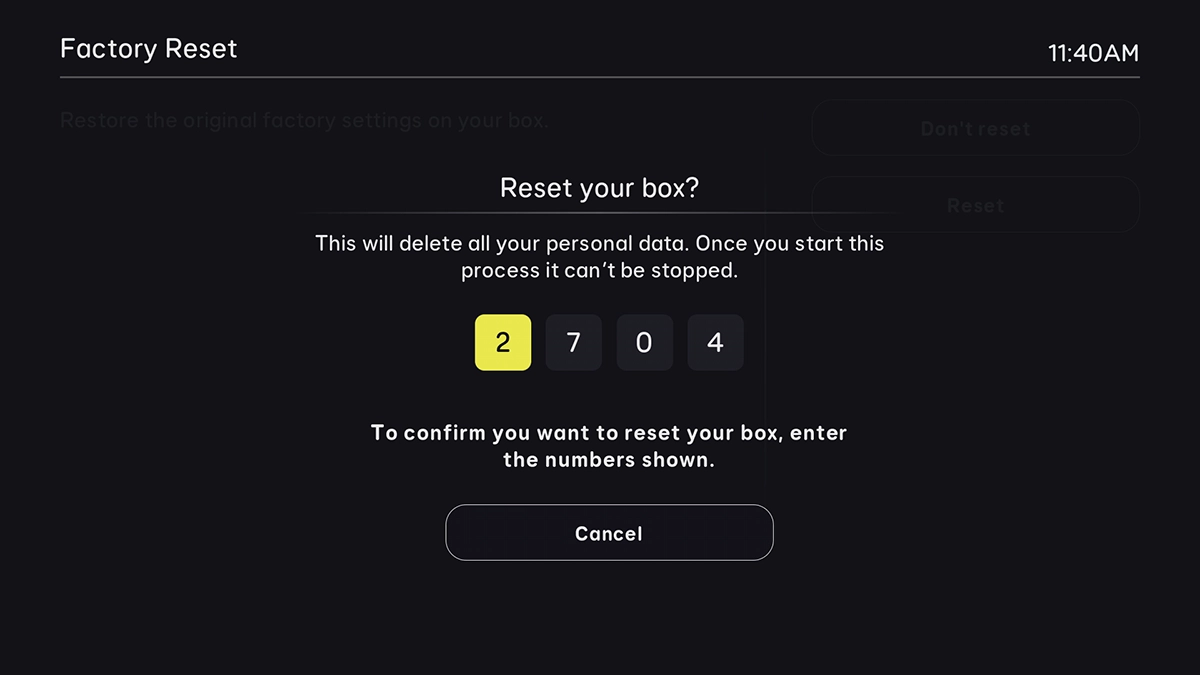
Key in the code on the screen to confirm. Wait while your set-top box restores the factory default settings. Follow the instructions on the screen to set up your set-top box and prepare it for use.
Step 7 of 7

Key in the code on the screen to confirm. Wait while your set-top box restores the factory default settings. Follow the instructions on the screen to set up your set-top box and prepare it for use.

Get information on...

Or choose...

Show more