Help
Device guides
EE
TV Box Pro

EE TV Box Pro

f-e9a2d970-a375-458d-810e-f3023942b61f
f-295800d2-c4af-4de7-8b66-01f4208bebcd
f-b866e9da-4b3e-4796-ae41-fa4098247be9
  • Device home
  • Getting started
  • Functions
  • Settings
  • Device home
  • Getting started
  • Functions
  • Settings

Recording TV programme

You can record a TV programme while watching another or if you are unable to watch TV at that time.
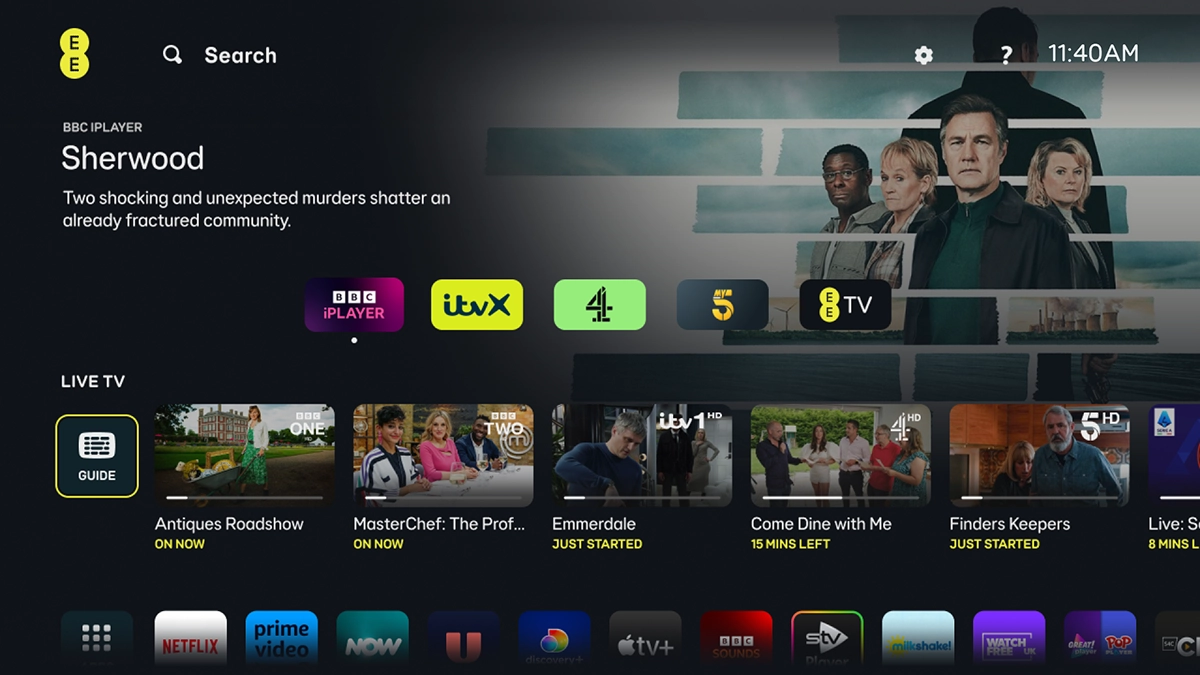
Highlight GUIDE.

Highlight GUIDE.
Step 1 of 16

Highlight GUIDE.

Press OK.
Press OK.
Step 2 of 16

Press OK.

Highlight the required programme.

Step 3 of 16

Highlight the required programme.

Press the
Press the
Step 4 of 16

Press the "R" key to start recording the selected programme.

To record the series, highlight Record series.
Step 5 of 16

To record the series, highlight Record series.

To record a single episode, highlight Record episode.
Step 6 of 16

To record a single episode, highlight Record episode.

Press OK.
Press OK.
Step 7 of 16

Press OK.

When the red
When the red
Step 8 of 16

When the red "R" is displayed, the recording is in progress.

Press the
Press the
Step 9 of 16

Press the "R" key again to stop the recording.

Go to the required programme.
Step 10 of 16

Go to the required programme.

Press the
Press the
Step 11 of 16

Press the "R" key to schedule a recording the selected programme.

To record the series, highlight Record series.
Step 12 of 16

To record the series, highlight Record series.

To record a single episode, highlight Record episode.
Step 13 of 16

To record a single episode, highlight Record episode.

Press OK.
Press OK.
Step 14 of 16

Press OK.

When the red
When the red
Step 15 of 16

When the red "R" is displayed, the recording is scheduled.

Press the Home key to return to the home menu.
Step 16 of 16

Press the Home key to return to the home menu.

Get information on...

Or choose...

Show more