Help
Device guides
FAIRPHONE
Fairphone 4

FAIRPHONE Fairphone 4


f-ae452b7e-b191-4b8c-8a74-33f300d40886
f-f1b523f4-aa36-421c-8d10-677618105a97
f-0fb2c5d3-5ba8-42c8-b0a4-cfd33cb28383
f-700ac667-2865-4810-b4c1-1c984dd9b1b3
f-e859d36b-0559-4a44-b330-6718367d5c20
f-9a01480e-fc42-4d4e-aa37-ab0d7b745431
  • Device home
  • Getting started
  • Basic functions
  • Calls, contacts, messaging
  • Connectivity
  • Specifications
  • Device home
  • Getting started
  • Basic functions
  • Calls, contacts, messaging
  • Connectivity
  • Specifications

It's not possible to turn on my phone

Solution 2 of 4: The battery hasn't been inserted correctly

It may be necessary to change the battery if it's faulty or remove and insert it again if your phone isn't responding.

Turn the back of your phone towards you. Take hold of the back cover and remove it.
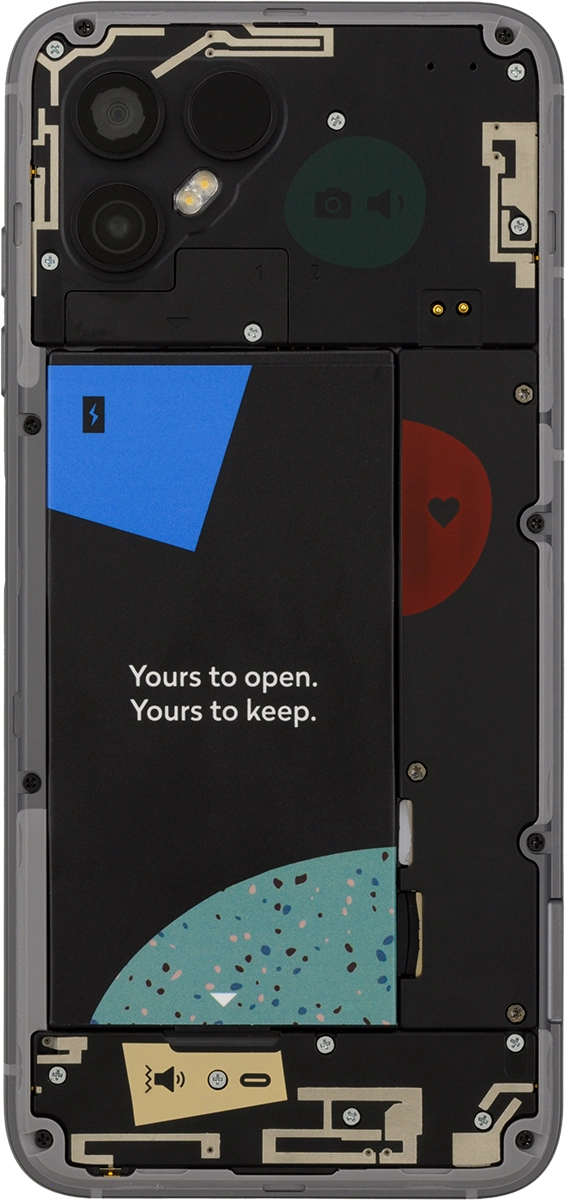
Step 1 of 4

Turn the back of your phone towards you. Take hold of the back cover and remove it.

Take hold of the bottom of the battery and remove it.
Step 2 of 4

Take hold of the bottom of the battery and remove it.

Place the battery in your phone (top first), matching the battery contacts with the phone contacts, and press the battery into place.
Step 3 of 4

Place the battery in your phone (top first), matching the battery contacts with the phone contacts, and press the battery into place.

Place the back cover on your phone and press it into place.
Step 4 of 4

Place the back cover on your phone and press it into place.


Did this solve your problem?

Yes No

Get information on...

Or choose...

Show more