Help
Device guides
Google
Pixel 10 Pro

Google Pixel 10 Pro

f-768372bd-43f8-47b3-b178-a625ff659f53
f-8a7181cd-af6f-4083-8cf7-53b3881663c9
f-b9115dd3-f9d3-4d62-b097-5e890cc0571f
f-e517170a-ddc2-4409-a410-95a33680769a
f-66a4934e-3954-4bde-89b4-a0e5fc5b12da
f-f02f19c8-843e-4f2c-a7e3-46c1b75524d0
f-522c6a45-f296-421f-b641-e9c95f3285e1
f-378164af-760e-4335-b69f-6d1745e7afcf
  • Device home
  • Getting started
  • Basic functions
  • Calls, contacts, messaging
  • Connectivity
  • Specifications
  • Device home
  • Getting started
  • Basic functions
  • Calls, contacts, messaging
  • Connectivity
  • Specifications

It's not possible to use my phone's internet connection

Solution 3 of 4: Data roaming is turned off

You can limit your data usage when abroad by turning off data roaming. You'll then not be able to access the internet using the mobile network when abroad. You can still use Wi-Fi even though data roaming is turned off.
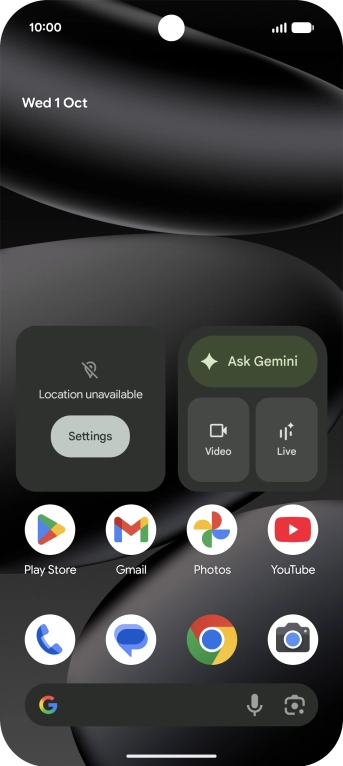
Slide two fingers downwards starting from the top of the screen.
Step 1 of 8

Slide two fingers downwards starting from the top of the screen.

Press the settings icon.
Step 2 of 8

Press the settings icon.

Press Network and Internet.
Step 3 of 8

Press Network and Internet.

Press SIMs.
Press SIMs.
Step 4 of 8

Press SIMs.

Press the name of the SIM.
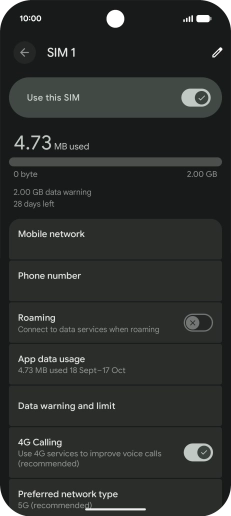
Step 5 of 8

Press the name of the SIM.

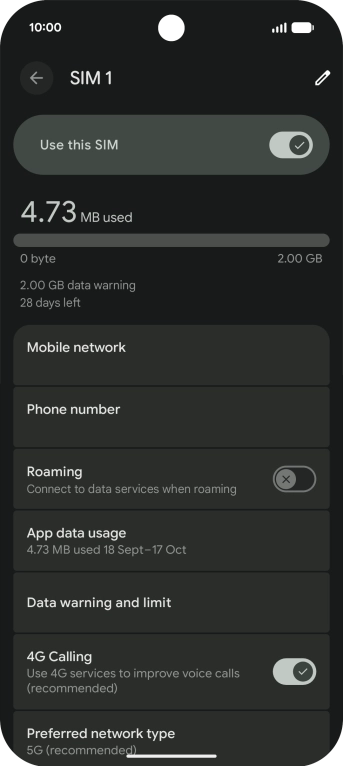
Press the indicator next to
Step 6 of 8

Press the indicator next to "Roaming" to turn the function on or off.
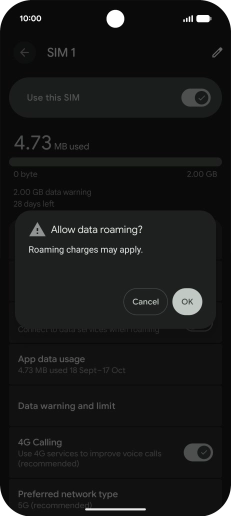
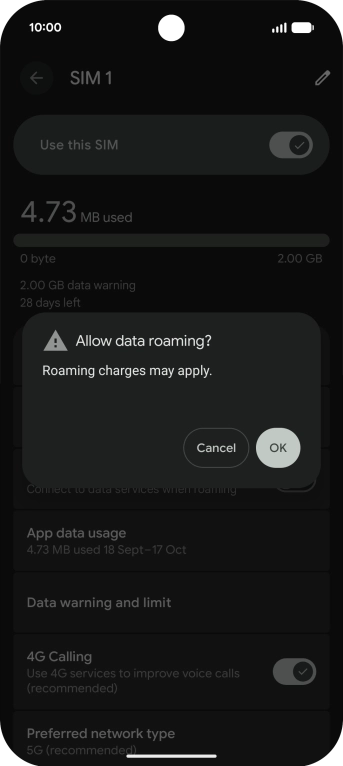
If you turn on the function, press OK.
Step 7 of 8

If you turn on the function, press OK.

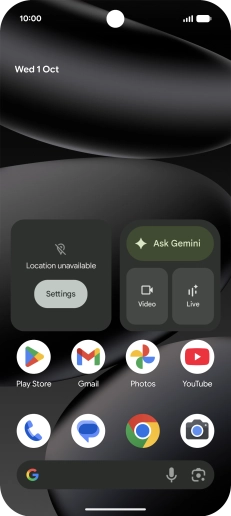
Slide your finger upwards starting from the bottom of the screen to return to the home screen.
Step 8 of 8

Slide your finger upwards starting from the bottom of the screen to return to the home screen.


Did this solve your problem?

Yes No

Get information on...

Or choose...

Show more