


Help
Device guides
Google
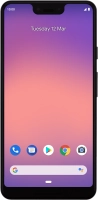
Pixel 3 XL

Google Pixel 3 XL

f-a322a754-aa6c-40af-a5ee-797084180c81
f-9c6f48bb-1c8d-410f-87e0-d15ce8324fee
f-83c53a41-2e4e-4218-b475-b148de2540b0
f-dbe884ad-0a62-486a-9d05-32285f643074
f-46159091-b4c5-41c7-84b4-5fc6afbe96db
f-1dc17aec-c493-4e6e-bcf0-5473502a101a
  • Device home
  • Getting started
  • Basic functions
  • Calls, contacts, messaging
  • Connectivity
  • Specifications
  • Device home
  • Getting started
  • Basic functions
  • Calls, contacts, messaging
  • Connectivity
  • Specifications

It's not possible to start my phone

Solution 6 of 7: Your SIM has been permanently blocked


If your SIM has been permanently blocked, you'll need a new SIM.

Call customer services on 150 (from an EE phone) or 07953 966 250 (from other phones) to have a new SIM sent to you. You can also visit your nearest EE store to order a new SIM. Remember to bring valid picture ID.


Did this solve your problem?

Yes No

Get information on...

Or choose...

Show more