


Help
Device guides
Google
Pixel 3a XL

Google Pixel 3a XL

f-731a901e-06c3-44bc-9ce4-1e508155f34b
f-57eeced3-a0e5-4241-a723-04fb36e8b279
f-27748b55-08fe-4487-b051-c0032f7becbf
f-8c34e1e4-dc89-462e-916f-14daadf44ee1
f-5c92c606-cd23-4552-abe0-2fb4577e1a97
f-193359b3-5c38-45d8-851f-c0bea8b35fa1
  • Device home
  • Getting started
  • Basic functions
  • Calls, contacts, messaging
  • Connectivity
  • Specifications
  • Device home
  • Getting started
  • Basic functions
  • Calls, contacts, messaging
  • Connectivity
  • Specifications

It's not possible to receive voice calls

Solution 1 of 2: There's a connection error

If your phone is slow or freezes, it might help to restart it.

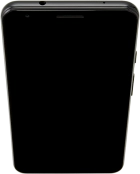
Press On/Off.
Press On/Off.
Step 1 of 2

Press On/Off.

Simultaneously, press and hold the lower part of the Volume key and keep them both pressed until your phone restarts.
Step 2 of 2

Simultaneously, press and hold the lower part of the Volume key and keep them both pressed until your phone restarts.


Did this solve your problem?

Yes No

Get information on...

Or choose...

Show more