




Help
Device guides
Google
Pixel 4 XL

Google Pixel 4 XL

f-126d52d4-1dd5-412e-901e-44106fc9bac9
f-32c7287f-28ac-40a2-9e15-7b85e9a20737
f-2c51eb6b-149f-44f3-b3bd-2f00a6a975e1
f-4472ddc8-6f1a-40c6-8ad0-68b32e4a60ea
f-bde3279d-f4af-43d8-94e0-77d9052f9681
f-ef77e600-6459-42ce-9215-c9010d859ada
  • Device home
  • Getting started
  • Basic functions
  • Calls, contacts, messaging
  • Connectivity
  • Specifications
  • Device home
  • Getting started
  • Basic functions
  • Calls, contacts, messaging
  • Connectivity
  • Specifications

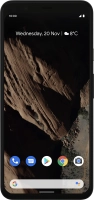
Restarting your phone

If your phone is slow or freezes, it might help to restart it.

Press and hold On/Off.
Step 1 of 2

Press and hold On/Off.

Simultaneously, press and hold the lower part of the Volume key and keep them both pressed until your phone restarts.
Step 2 of 2

Simultaneously, press and hold the lower part of the Volume key and keep them both pressed until your phone restarts.

Get information on...

Or choose...

Show more