




Help
Device guides
Google
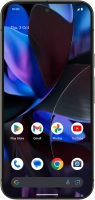
Pixel 9 Pro

Google Pixel 9 Pro

f-eb255fd6-a239-4164-8a5b-1418685fcc9c
f-2630f40d-6a4d-4021-89a3-fc390b068a00
f-f5661f73-e372-4d5a-a9a8-95798d7cd4cd
f-8fa8851f-b47f-46ca-86c6-bf79ed604a86
f-1b9fe957-226a-457b-a989-26c1d28cbffe
f-222c8937-87ac-4ab6-bcb3-36dca1cfbd5d
f-1210f34d-089a-4eb8-adf8-c88649515745
f-747abf3a-fd37-4906-8276-0b83b1f3ced9
  • Device home
  • Getting started
  • Basic functions
  • Calls, contacts, messaging
  • Connectivity
  • Specifications
  • Device home
  • Getting started
  • Basic functions
  • Calls, contacts, messaging
  • Connectivity
  • Specifications

It's not possible to use Wi-Fi

Solution 3 of 4: Your phone is connected to a Wi-Fi network, but you're not logged on


Some Wi-Fi networks require you to log on via a web page.

Open the internet browser on your phone and try to load a web page. The internet browser is redirected to the homepage of the Wi-Fi network. Follow the instructions on the screen to log on to the Wi-Fi network.


Did this solve your problem?

Yes No

Get information on...

Or choose...

Show more