Help
Device guides
Google
Pixel Watch 2

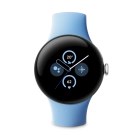
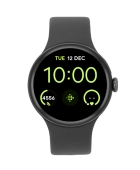
Google Pixel Watch 2
f-6f9fc30b-16a6-4d11-be04-051e0e3a1013
f-b4c90329-2d16-45a4-999d-5c43d91ba0c3
f-0f62a606-a06e-43c3-a6cf-15450f0d9f46
f-8cfa198d-0b40-43e9-91c0-c87e78c6ec06
f-e19324dd-2d01-497a-aff0-23dc54778b8e
f-7fdad4be-a54c-4f2e-ba10-160a0e0ad967
f-e0d3a0d7-9e9f-4a6c-8b54-1e30cb687fab
  • Device home
  • Getting started
  • Basic functions
  • Calls, contacts, messaging
  • Connectivity
  • Specifications
  • Device home
  • Getting started
  • Basic functions
  • Calls, contacts, messaging
  • Connectivity
  • Specifications

I can't use GPS navigation

Solution 1 of 2: There's not adequate GPS signal


The first time your smartwatch is to find a GPS signal on a new location, it may take several minutes. Urban agglomeration or forests may interfere with the GPS signal.

Go to a place with a clear view of the sky and wait a few minutes while your phone searches for a GPS signal.


Did this solve your problem?

Yes No

Get information on...

Or choose...

Show more