Help
Device guides
Google
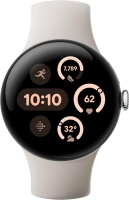
Pixel Watch 3

Google Pixel Watch 3
f-28d7b470-a137-406e-ba80-001ed214dade
f-05fc277e-71f0-4097-9484-dba818d7b3cf
f-d1d9b450-0430-4080-bdec-0905b094149c
f-29176207-ca23-4f58-bad6-87c04befc608
f-fe83c82a-1358-40f9-aa09-5fa4939d67e9
f-01dc7835-4ea8-4682-8d28-57099ca39e7e
f-b9a3a2d1-f309-4a39-a3d0-6845f59d7bce
  • Device home
  • Getting started
  • Basic functions
  • Calls, contacts, messaging
  • Connectivity
  • Specifications
  • Device home
  • Getting started
  • Basic functions
  • Calls, contacts, messaging
  • Connectivity
  • Specifications

My smartwatch doesn't respond

Solution 1 of 2: There's an error in the operating system on your smartwatch

If your smartwatch is slow or freezes, it might help to restart it.

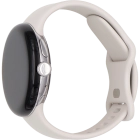
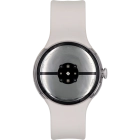
Simultaneously, press the Crown and the Side key and keep them both pressed until your smartwatch restarts.
Step 1 of 1

Simultaneously, press the Crown and the Side key and keep them both pressed until your smartwatch restarts.


Did this solve your problem?

Yes No

Get information on...

Or choose...

Show more