Google Pixel Watch 3
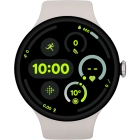
Activating your smartwatch
You need to activate your smartwatch before using it for the first time and after a factory reset.


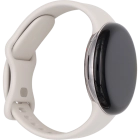
Press and hold the crown until your smartwatch turns on.


Press the information icon.


Press the required language.


Place your smartwatch next to your phone.

On your phone: Press Watch.

On your phone: Press Connect.

On your phone: Check that the code is identical to the code displayed on your smartwatch.
On your phone: Press Confirm.

On your phone: Press Allow.

On your phone: Press Sign in to log on with your Google account.

On your phone: Press Continue as ‹name›.

On your phone: Press Copy.

On your phone: Press Enter your password.

On your phone: Key in the password for your Google account and press Next.

On your phone: Press I agree.

On your phone: Press Continue.

On your phone: Follow the instructions on the screen to select the required settings and press Continue.

On your phone: Press Continue.

On your phone: Press Next.

On your phone: Press Next.

On your phone: Press Next.

On your phone: Press Open Fitbit and follow the instructions on the screen to set up and connect the Fitbit app with your smartwatch.

On your phone: Press Continue.

On your phone: Follow the instructions on the screen to set up Google Assistant or press Not now.

On your phone: Follow the instructions on the screen to set up a screen lock or press Skip.

On your phone: Follow the instructions on the screen to set up Google Wallet or press Not now.

On your phone: Follow the instructions on the screen to install the suggested extra apps on your smartwatch or press Not now.

On your phone: Press Done and wait a moment while the activation of your smartwatch is completed.

On your phone: Press Allow.

On your phone: When this screen is displayed, your smartwatch is activated and synchronised with your phone.