Help
Device guides
Google
Pixel Watch

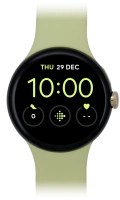
Google Pixel Watch

f-fd863b6a-1af8-43ad-b1ee-27f8dedff1be
f-8f6a0610-298e-44d7-918d-5593849dd1bf
f-d07cf61a-4583-4259-ab95-c337909b0d77
f-10ae5d2c-a8ff-4001-b79f-f4fe3054dc7d
f-291543ae-dd7d-4ba4-9b54-dfe106299751
  • Device home
  • Getting started
  • Basic functions
  • Calls, contacts, messaging
  • Connectivity
  • Specifications
  • Device home
  • Getting started
  • Basic functions
  • Calls, contacts, messaging
  • Connectivity
  • Specifications

My smartwatch doesn't respond

Solution 2 of 2: The temperature is too high or too low


If the surrounding temperature is too high or too low, it may cause your smartwatch to not respond or shut down.

Try using your smartwatch again when you're in an area where the temperature of your surroundings is within the calculated operating temperature of your smartwatch. See the recommended operating temperature for your smartwatch on the manufacturer's web page.


Did this solve your problem?

Yes No

Get information on...

Or choose...

Show more