



Help
Device guides
HONOR
Magic V3 5G

HONOR Magic V3 5G

f-c7292529-1436-4211-b7bd-d5323d0bac13
f-787c8e8e-dec8-49e2-a3d7-d4135a8b4726
f-617080dc-f1af-427c-b474-1ec0d1abd131
f-b25db502-501a-46e7-af8b-b05aed2bc01f
f-996d848d-23cf-4be1-8b75-4db1ae63531a
f-1ed4bc0e-a879-4636-afb8-b36494ff41e6
f-53bd8444-0986-48bb-871a-f404422ed7d0
f-d7ec0a42-dbda-4a33-bf46-9e1f321cfad9
  • Device home
  • Getting started
  • Basic functions
  • Calls, contacts, messaging
  • Connectivity
  • Specifications
  • Device home
  • Getting started
  • Basic functions
  • Calls, contacts, messaging
  • Connectivity
  • Specifications

Activating eSIM

In addition to your normal SIM, you can also use an eSIM in your phone. An eSIM is a digital SIM that enables you to activate a price plan without the use of a physical SIM. To activate your eSIM you need to set up your phone for internet or establish a connection to a Wi-Fi network.
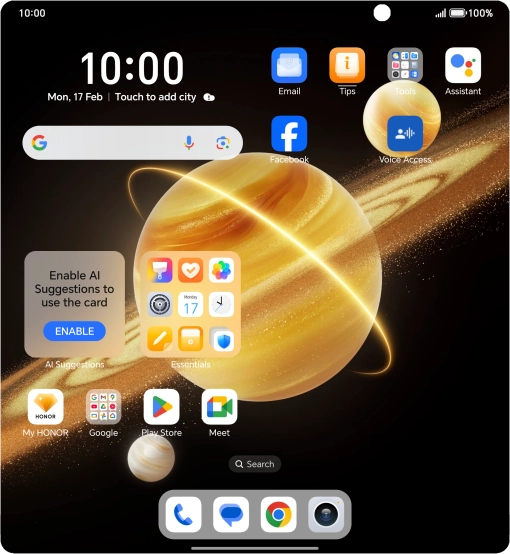
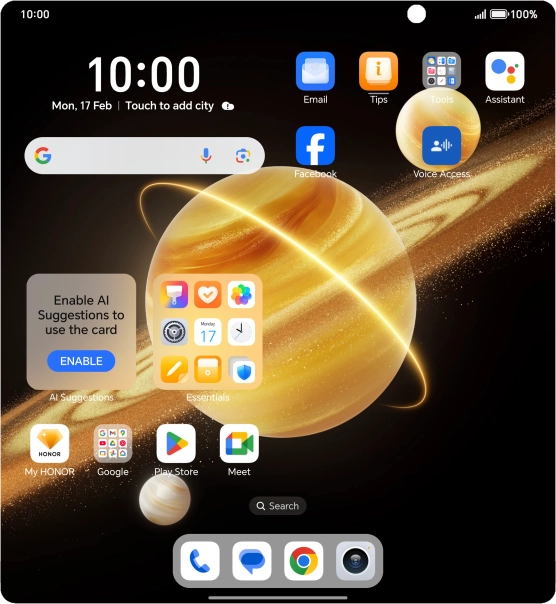
Press the settings icon.
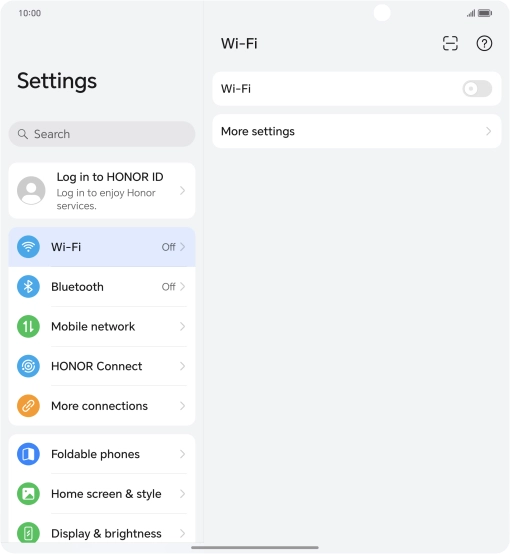
Step 1 of 6

Press the settings icon.

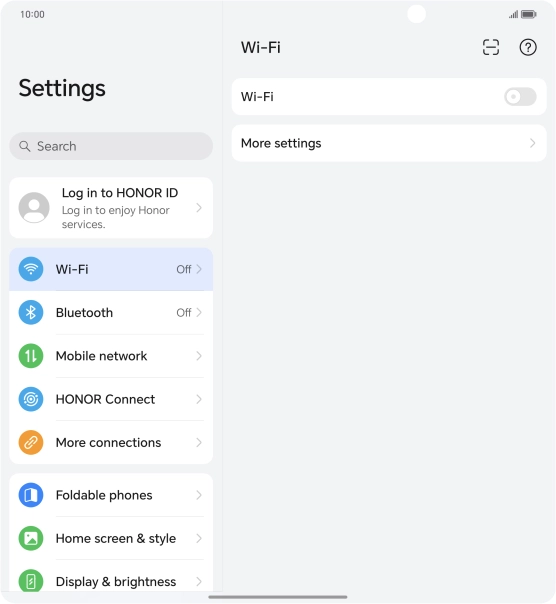
Press Mobile network.
Step 2 of 6

Press Mobile network.

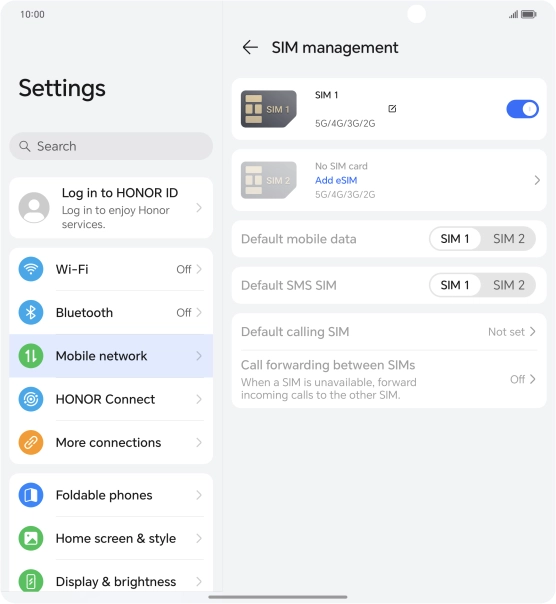
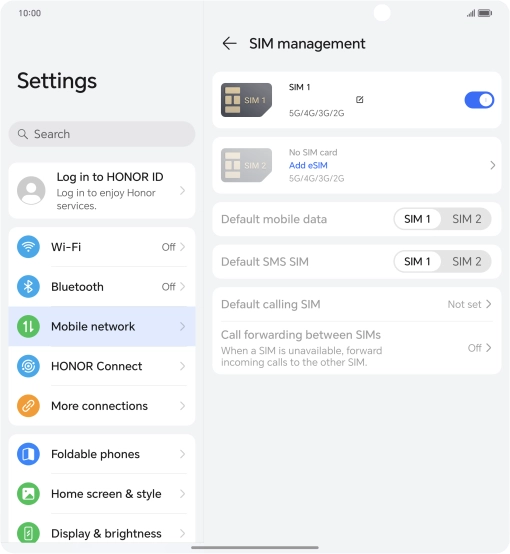
Press SIM management.
Step 3 of 6

Press SIM management.

Press Add eSIM.
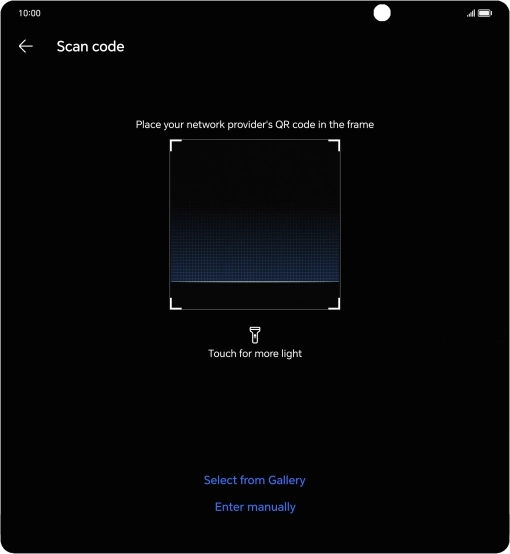
Press Add eSIM.
Step 4 of 6

Press Add eSIM.

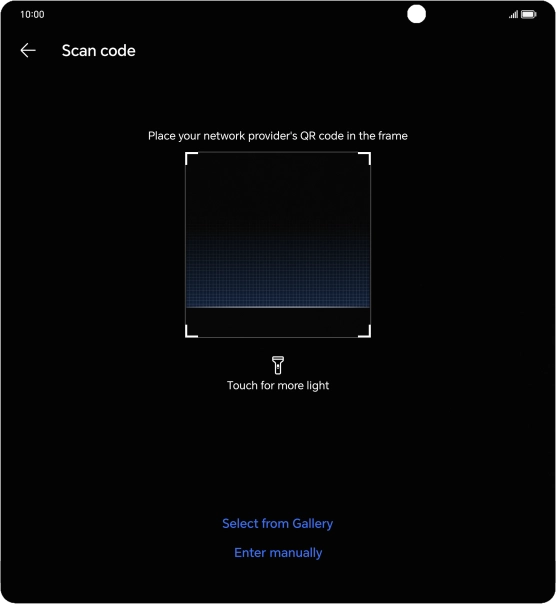
Place the QR code you've received inside the phone camera frame to scan the code.
Step 5 of 6

Place the QR code you've received inside the phone camera frame to scan the code.

HONOR Magic V3 5G
HONOR Magic V3 5G
Step 6 of 6

Follow the instructions on the screen to complete the activation of your eSIM.

Get information on...

Or choose...

Show more