


Help
Device guides
HONOR
Magic7 Lite

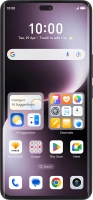
HONOR Magic7 Lite

f-8e3df615-e949-4e99-9d58-561f500cf9c0
f-565ab2d9-665f-467b-93f6-90d572df7a30
f-67025766-b7ee-4740-bb61-4cdac09605f0
f-59418578-b742-4bcb-a615-0575364415ce
f-ab09ec45-dfc3-4895-bc97-193d1f7d1833
f-463838ad-2489-45e1-bdda-75a4db528da6
f-b4aa1f3a-a8ed-423a-ac29-84cd66bd6198
f-145c5983-dd79-41ef-8be7-01dcf016cbf8
  • Device home
  • Getting started
  • Basic functions
  • Calls, contacts, messaging
  • Connectivity
  • Specifications
  • Device home
  • Getting started
  • Basic functions
  • Calls, contacts, messaging
  • Connectivity
  • Specifications

It's not possible to use my phone as a Wi-Fi hotspot

Solution 2 of 2: The password used on the other device is incorrect


To use your phone as a Wi-Fi hotspot, you need to key in the password you selected when you set up your phone as a Wi-Fi hotspot on the other device.

Check the password for the Wi-Fi hotspot on your phone and key in the correct password on the other device.


Did this solve your problem?

Yes No

Get information on...

Or choose...

Show more