




Help
Device guides
Huawei
Mate 20 lite

Huawei Mate 20 lite

f-00537029-fc04-45cd-8d5a-470e6329c8e2
f-371cef9e-4dac-42a3-8eff-8ddfb969de16
f-a876948a-926d-44b5-96e6-a25a27a69336
f-a5422bcf-1434-4e36-88a5-19118d4a908a
f-aa22e69b-61f4-4e15-836b-5021b953ff93
f-d6ed7c18-2e91-4b22-8581-9e90e835b352
  • Device home
  • Getting started
  • Basic functions
  • Calls, contacts, messaging
  • Connectivity
  • Specifications
  • Device home
  • Getting started
  • Basic functions
  • Calls, contacts, messaging
  • Connectivity
  • Specifications

Saving voicemail number

You can save your voicemail number making it easy to call and listen to your voice messages.
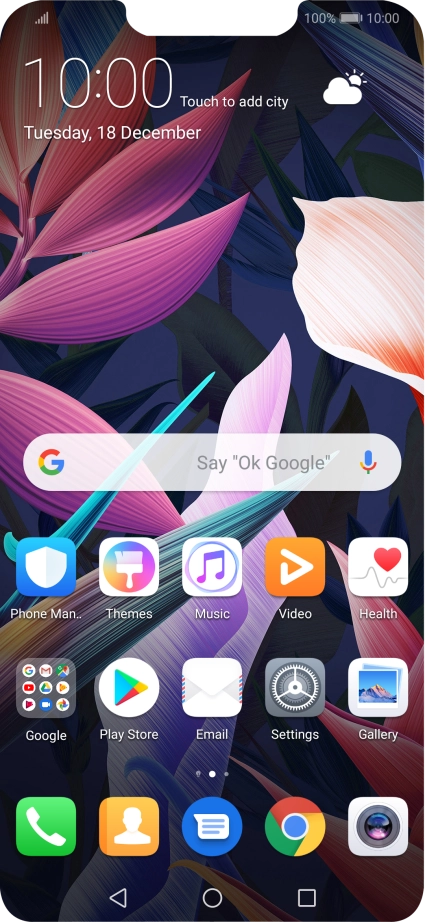
Press the phone icon.
Step 1 of 8

Press the phone icon.

Press the menu icon.
Step 2 of 8

Press the menu icon.

Press Settings.
Press Settings.
Step 3 of 8

Press Settings.

Press Additional settings.
Step 4 of 8

Press Additional settings.

Press Voicemail.
Press Voicemail.
Step 5 of 8

Press Voicemail.

Press Voicemail number.
Step 6 of 8

Press Voicemail number.

Key in +447953222222 and press OK.
+447953222222
Key in +447953222222 and press OK.
+447953222222
Step 7 of 8

Key in +447953222222 and press OK.

Press the Home key to return to the home screen.
Step 8 of 8

Press the Home key to return to the home screen.

Get information on...

Or choose...

Show more