


Help
Device guides
Huawei
Mate 20 Pro

Huawei Mate 20 Pro

f-1d144d36-4f25-4dbe-93b5-b780df621617
f-2180afee-a094-4759-8b8d-066db4f879fe
f-6a299b26-5970-4188-b719-6f6c3007fa20
f-3977e861-7b92-41bd-9743-30e8d0ac11a4
f-612629e0-bcb7-4966-8fb0-50bbb7277f17
f-6a77478e-845d-496b-ad00-d19a2097b152
  • Device home
  • Getting started
  • Basic functions
  • Calls, contacts, messaging
  • Connectivity
  • Specifications
  • Device home
  • Getting started
  • Basic functions
  • Calls, contacts, messaging
  • Connectivity
  • Specifications

Turning automatic use of mobile data on or off

You can set your phone to use mobile data automatically when the connection to the Wi-Fi network is weak. To turn automatic use of mobile data on or off, you need to turn on mobile data.

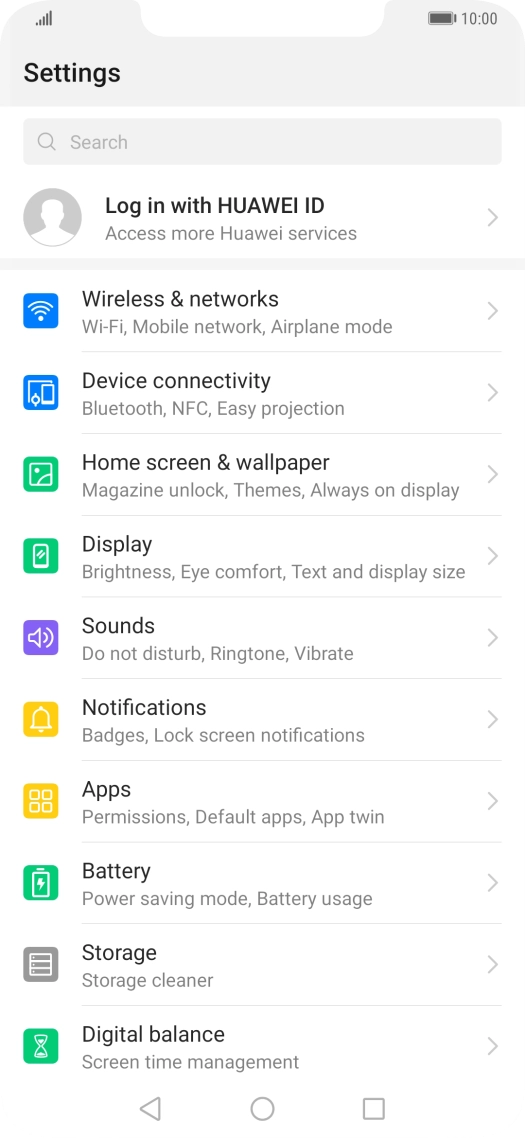
Press Settings.
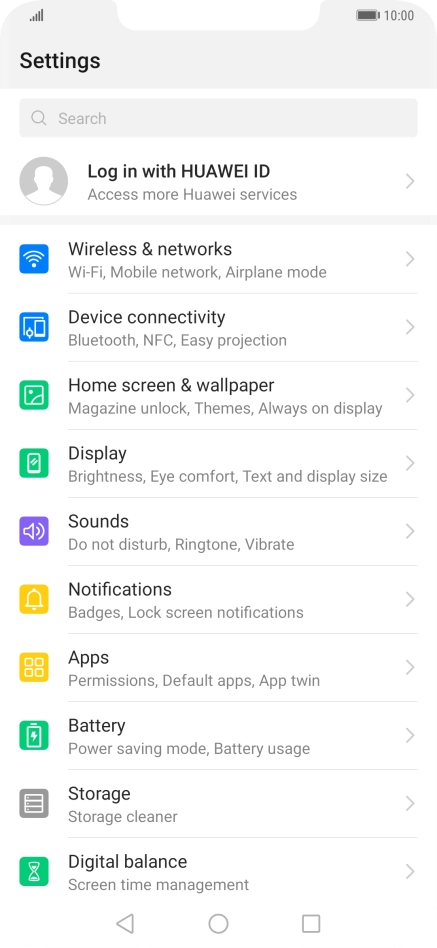
Press Settings.
Step 1 of 8

Press Settings.

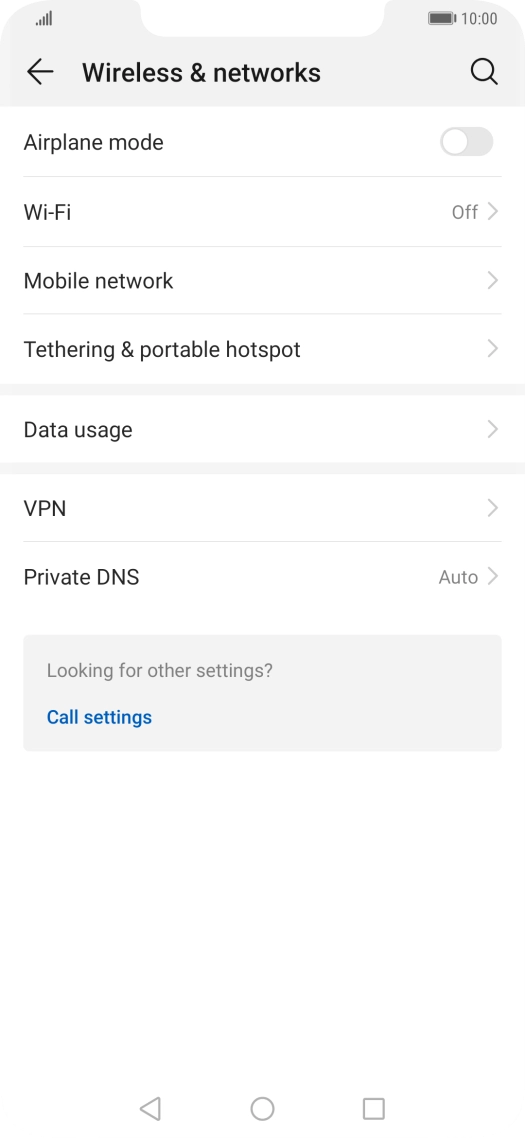
Press Wireless & networks.
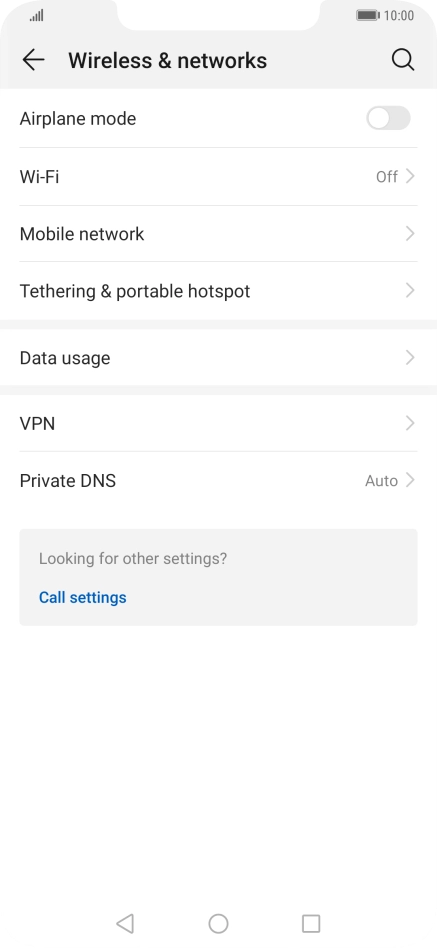
Step 2 of 8

Press Wireless & networks.

Press Wi-Fi.
Press Wi-Fi.
Step 3 of 8

Press Wi-Fi.

Press the menu icon.
Step 4 of 8

Press the menu icon.

Press Settings.
Press Settings.
Step 5 of 8

Press Settings.

Press Wi-Fi+.
Press Wi-Fi+.
Step 6 of 8

Press Wi-Fi+.

Press the indicator next to
Step 7 of 8

Press the indicator next to "Wi-Fi+" to turn the function on or off.

Press the Home key to return to the home screen.
Step 8 of 8

Press the Home key to return to the home screen.

Get information on...

Or choose...

Show more