Help
Device guides
Huawei
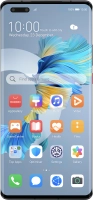
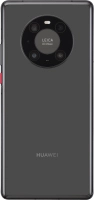
Mate40 Pro 5G

Huawei Mate40 Pro 5G
f-35507320-aae9-49bb-9a4a-f6ca4d6f2985
f-8b097607-2120-4b49-be3a-747c833d8a2b
f-94809fc9-e145-4016-8462-42feda7aa8b4
f-12610498-0e62-48e6-b16c-8180039c39a8
f-86d2452d-a91a-4fb4-80ca-2e6f212fb4a9
f-54e7f797-64dd-436d-b4e3-10216d7990e2
  • Device home
  • Getting started
  • Basic functions
  • Calls, contacts, messaging
  • Connectivity
  • Specifications
  • Device home
  • Getting started
  • Basic functions
  • Calls, contacts, messaging
  • Connectivity
  • Specifications

Troubleshooting

  • It's not possible to receive messages on my voicemail
  • It's not possible to check my voicemail
  • It's not possible to send and receive text messages
  • It's not possible to send and receive picture messages
  • It's not possible to send and receive email messages
  • It's not possible to use Wi-Fi calling
  • It's not possible to make voice calls
  • It's not possible to receive voice calls

Call settings

  • Turning call waiting on or off
  • Turning your own caller identification on or off
  • Turning Wi-Fi calling on or off

Contacts

  • Creating contact
  • Copying contacts between your SIM and your phone
  • Calling a contact in your address book

Voicemail

  • Saving voicemail number
  • Diverting calls to voicemail
  • Cancelling all diverts

Call restrictions

  • Turning call barring on or off
  • Turning fixed dialling on or off

Text messaging

  • Setting up your phone for text messaging
  • Writing and sending text messages

Picture messaging

  • Setting up your phone for picture messaging
  • Writing and sending picture messages

Email messaging

  • Setting up your phone for POP3 email
  • Writing and sending email messages
  • Setting up your phone for IMAP email

Get information on...

Or choose...

Show more