



Help
Device guides
Huawei
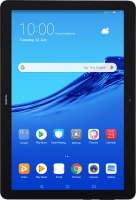
MediaPad T5

Huawei MediaPad T5

f-afda6190-6e00-4510-84ce-d38fc4f41e8d
f-3438ef7b-27bc-4e44-96bd-56d59908b7b6
f-f75b1c00-4952-4822-8c08-f67bf3a3078c
f-e34983cb-533a-4055-8ba1-c1287cf1b373
f-b701f893-d954-400f-ae0d-2fe316630c41
f-a26c12a7-145d-4cc2-ae7e-7f3b55432530
  • Device home
  • Getting started
  • Basic functions
  • Calls, contacts, messaging
  • Connectivity
  • Specifications
  • Device home
  • Getting started
  • Basic functions
  • Calls, contacts, messaging
  • Connectivity
  • Specifications

Saving voicemail number

You can save your voicemail number making it easy to call and listen to your voice messages.

Press Tools.
Press Tools.
Step 1 of 9

Press Tools.

Press Dialler.
Press Dialler.
Step 2 of 9

Press Dialler.

Press the menu icon.
Step 3 of 9

Press the menu icon.

Press Settings.
Press Settings.
Step 4 of 9

Press Settings.

Press Additional settings.
Step 5 of 9

Press Additional settings.

Press Voicemail.
Press Voicemail.
Step 6 of 9

Press Voicemail.

Press Voicemail number.
Step 7 of 9

Press Voicemail number.

Key in +447953222222 and press OK.
+447953222222
Key in +447953222222 and press OK.
+447953222222
Step 8 of 9

Key in +447953222222 and press OK.

Press the Home key to return to the home screen.
Step 9 of 9

Press the Home key to return to the home screen.

Get information on...

Or choose...

Show more