




Help
Device guides
Huawei
nova 5T

Huawei nova 5T

f-bc623a22-217b-4237-a785-f1d6e3f05e94
f-4178a1d9-107b-479b-bf25-432ecaed1dd5
f-ae939eee-c4b2-4120-b342-75ec9faf3e6b
f-5cf2818a-bd98-45d5-a13e-df362f7dafe8
f-acc38f37-943c-4480-9cba-5090dabc5435
f-961737bf-b2f0-4d00-8d30-6c7340b9dddd
  • Device home
  • Getting started
  • Basic functions
  • Calls, contacts, messaging
  • Connectivity
  • Specifications
  • Device home
  • Getting started
  • Basic functions
  • Calls, contacts, messaging
  • Connectivity
  • Specifications

Updating phone software

It's recommended that you update your phone with the newest software, as the manufacturer continuously corrects errors. It's a good idea to back up the phone memory first. Before you can update the phone software, you need to set up your phone for internet.
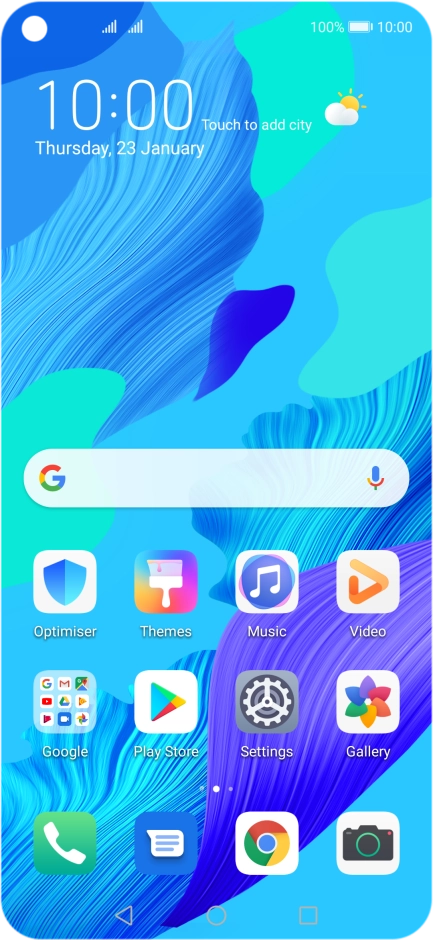
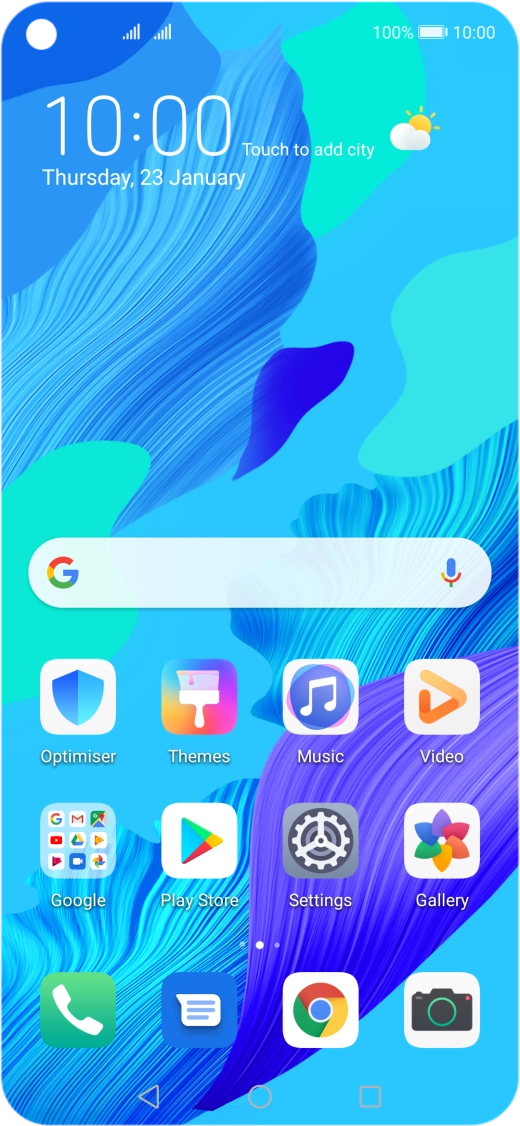
Press Settings.
Press Settings.
Step 1 of 3

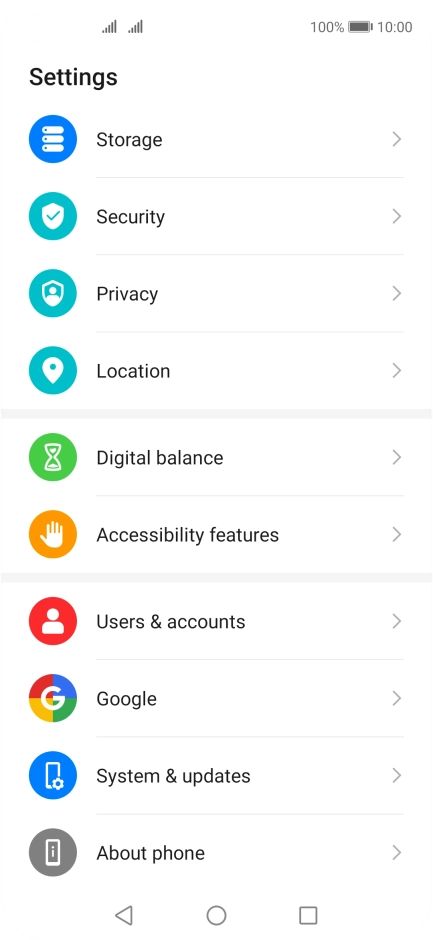
Press Settings.

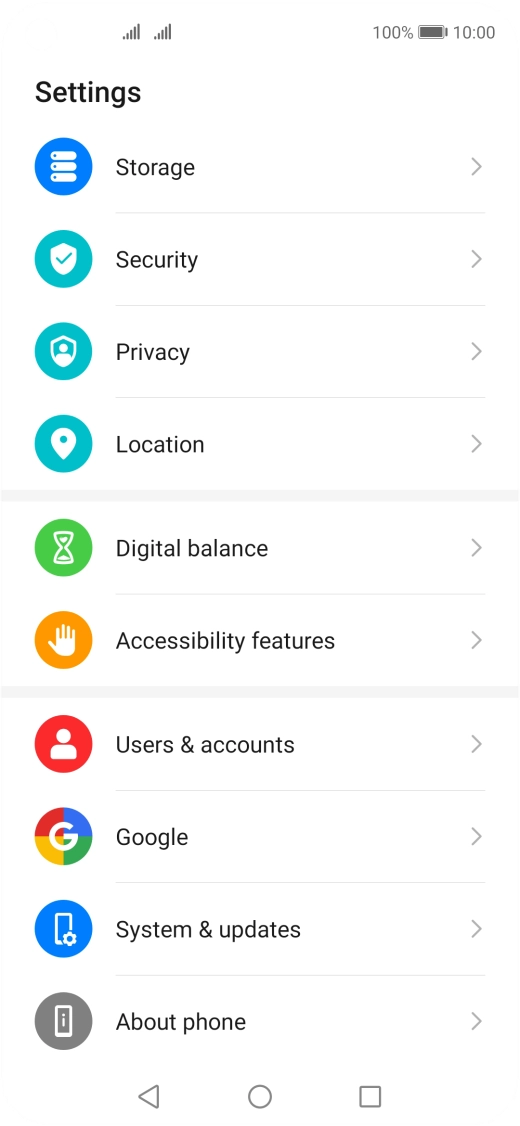
Press System & updates.
Step 2 of 3

Press System & updates.
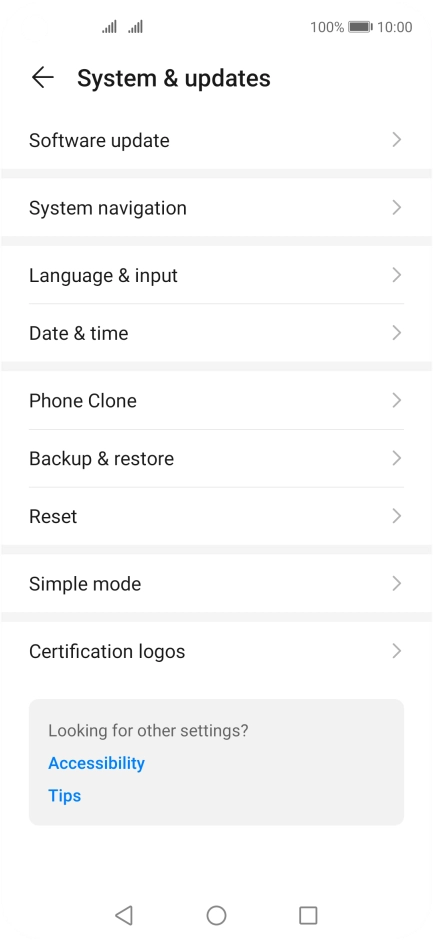
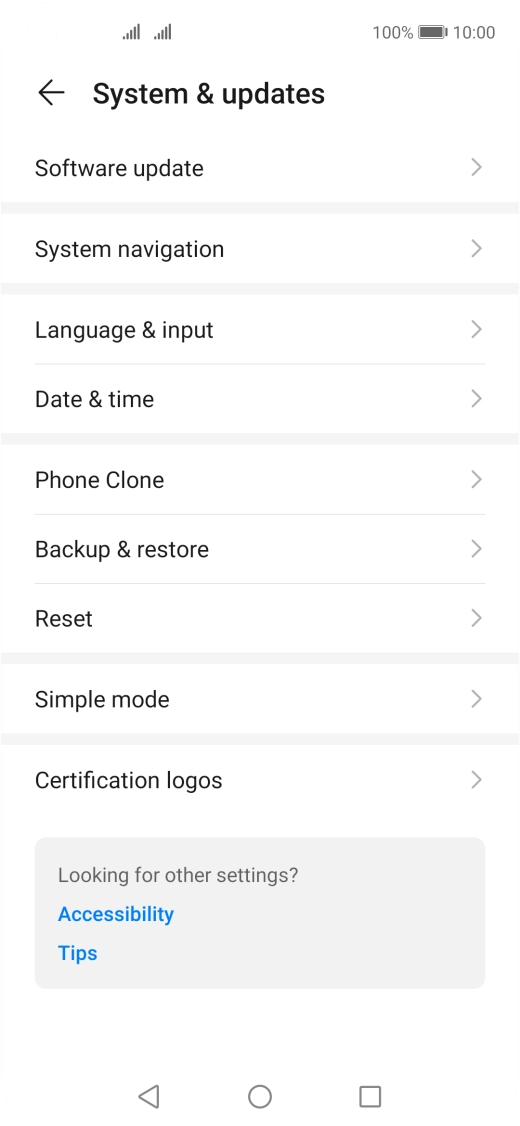
Press Software update. If a new software version is available, it's displayed. Follow the instructions on the screen to update the phone software.
Step 3 of 3

Press Software update. If a new software version is available, it's displayed. Follow the instructions on the screen to update the phone software.

Get information on...

Or choose...

Show more