


Help
Device guides
Huawei
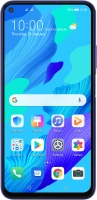
nova 5T

Huawei nova 5T

f-bc623a22-217b-4237-a785-f1d6e3f05e94
f-4178a1d9-107b-479b-bf25-432ecaed1dd5
f-ae939eee-c4b2-4120-b342-75ec9faf3e6b
f-5cf2818a-bd98-45d5-a13e-df362f7dafe8
f-acc38f37-943c-4480-9cba-5090dabc5435
f-961737bf-b2f0-4d00-8d30-6c7340b9dddd
  • Device home
  • Getting started
  • Basic functions
  • Calls, contacts, messaging
  • Connectivity
  • Specifications
  • Device home
  • Getting started
  • Basic functions
  • Calls, contacts, messaging
  • Connectivity
  • Specifications

Troubleshooting

  • It's not possible to receive messages on my voicemail
  • It's not possible to check my voicemail
  • It's not possible to send and receive text messages
  • It's not possible to send and receive picture messages
  • It's not possible to send and receive email messages
  • It's not possible to use Wi-Fi calling
  • It's not possible to make voice calls
  • It's not possible to receive voice calls

Call settings

  • Turning call waiting on or off
  • Turning your own caller identification on or off
  • Turning Wi-Fi calling on or off

Contacts

  • Creating contact
  • Copying contacts between your SIM and your phone
  • Calling a contact in your address book

Voicemail

  • Saving voicemail number
  • Diverting calls to voicemail
  • Cancelling all diverts

Call restrictions

  • Turning call barring on or off
  • Turning fixed dialling on or off

Text messaging

  • Setting up your phone for text messaging
  • Writing and sending text messages

Picture messaging

  • Setting up your phone for picture messaging
  • Writing and sending picture messages

Email messaging

  • Setting up your phone for POP3 email
  • Writing and sending email messages
  • Setting up your phone for IMAP email

Get information on...

Or choose...

Show more