



Help
Device guides
Huawei
nova 5T

Huawei nova 5T

f-bc623a22-217b-4237-a785-f1d6e3f05e94
f-4178a1d9-107b-479b-bf25-432ecaed1dd5
f-ae939eee-c4b2-4120-b342-75ec9faf3e6b
f-5cf2818a-bd98-45d5-a13e-df362f7dafe8
f-acc38f37-943c-4480-9cba-5090dabc5435
f-961737bf-b2f0-4d00-8d30-6c7340b9dddd
  • Device home
  • Getting started
  • Basic functions
  • Calls, contacts, messaging
  • Connectivity
  • Specifications
  • Device home
  • Getting started
  • Basic functions
  • Calls, contacts, messaging
  • Connectivity
  • Specifications

Viewing data usage

You can see how much mobile data you've used when you've used the browser or sent and received email messages etc.
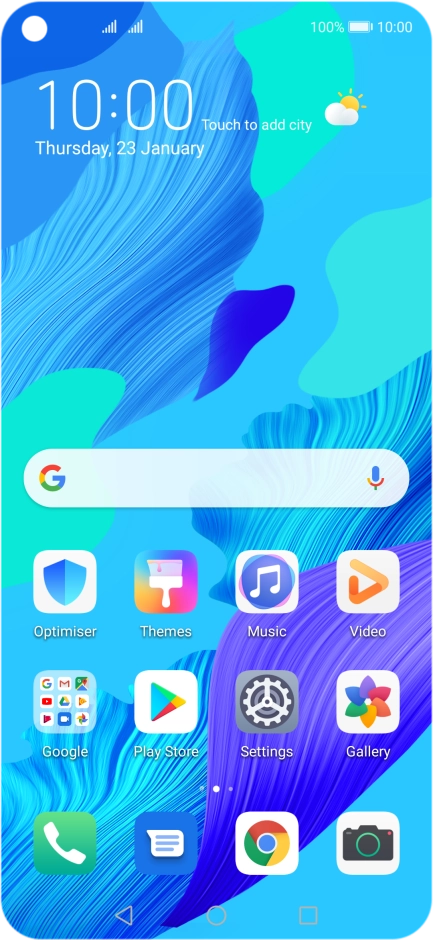
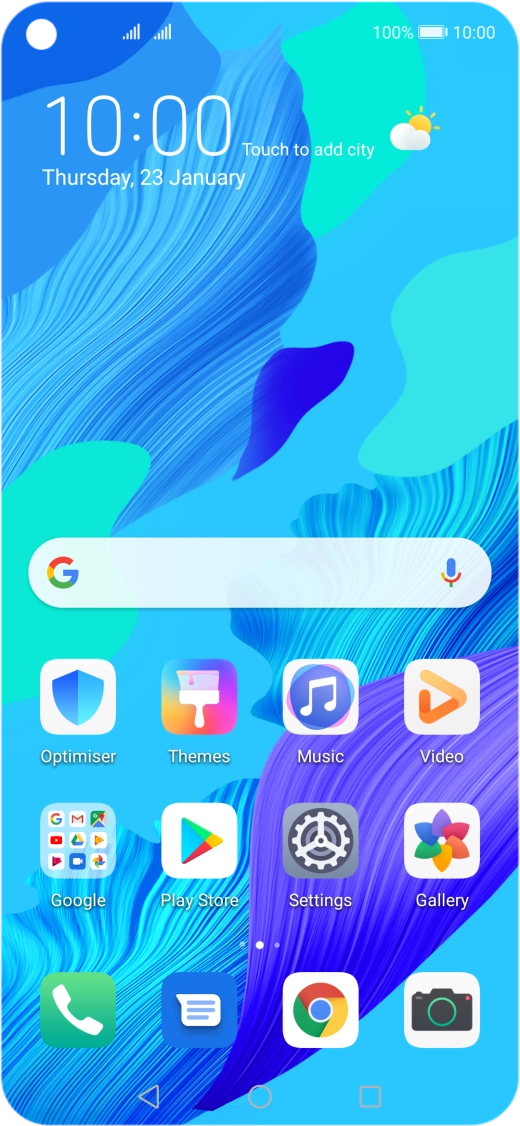
Press Settings.
Press Settings.
Step 1 of 7

Press Settings.

Press Mobile network.
Step 2 of 7

Press Mobile network.

Press Data usage.
Press Data usage.
Step 3 of 7

Press Data usage.

Press the required SIM.
Step 4 of 7

Press the required SIM.

The total data usage is displayed.
Step 5 of 7

The total data usage is displayed.

The data usage for each application is displayed below the name of the application.
Step 6 of 7

The data usage for each application is displayed below the name of the application.

See how to turn mobile data on or off.
Press the Home key to return to the home screen.
Step 7 of 7

Press the Home key to return to the home screen.

Get information on...

Or choose...

Show more