




Help
Device guides
Huawei
P smart 2019

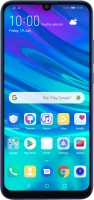
Huawei P smart 2019

f-246920a5-3452-41ca-ae67-fee38127b1fd
f-e90a4d04-53b8-4212-9344-256f7b41cdf9
f-f7b24c4d-e042-4e2d-94bd-09c31144fc9e
f-a648d97d-7105-42ce-bdb2-973db4542ddb
f-f48a7a78-0389-42f8-8942-53374e9dd396
f-991a8ce6-0637-4ffd-8ba2-d13489c7c73b
  • Device home
  • Getting started
  • Basic functions
  • Calls, contacts, messaging
  • Connectivity
  • Specifications
  • Device home
  • Getting started
  • Basic functions
  • Calls, contacts, messaging
  • Connectivity
  • Specifications

Turning automatic use of mobile data on or off

You can set your phone to use mobile data automatically when the connection to the Wi-Fi network is weak. To turn automatic use of mobile data on or off, you need to turn on mobile data.

Press Settings.
Press Settings.
Step 1 of 8

Press Settings.

Press Wireless & networks.
Step 2 of 8

Press Wireless & networks.

Press Wi-Fi.
Press Wi-Fi.
Step 3 of 8

Press Wi-Fi.

Press the indicator next to
Step 4 of 8

Press the indicator next to "Wi-Fi" to turn on the function.

Press the menu icon.
Step 5 of 8

Press the menu icon.

Press Wi-Fi+.
Press Wi-Fi+.
Step 6 of 8

Press Wi-Fi+.

Press the indicator next to
Step 7 of 8

Press the indicator next to "Wi-Fi+" to turn the function on or off.

Press the Home key to return to the home screen.
Step 8 of 8

Press the Home key to return to the home screen.

Get information on...

Or choose...

Show more