
Help
Device guides
Huawei
P20 lite

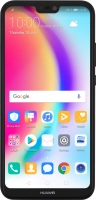
Huawei P20 lite

f-927705e8-b9eb-467b-8534-b31bd27e9bb0
f-6d649079-53ab-4a97-a1c6-3fba018ce384
f-59f66916-36e0-4796-8316-918735b704bd
f-b6426d21-396c-4ee1-994d-83ac33090c57
f-1ecff7e9-6eff-4e2f-b4c7-390745e5f02f
f-4c4b1624-87a4-4f71-8a71-496d8158c836
  • Device home
  • Getting started
  • Basic functions
  • Calls, contacts, messaging
  • Connectivity
  • Specifications
  • Device home
  • Getting started
  • Basic functions
  • Calls, contacts, messaging
  • Connectivity
  • Specifications

Diverting calls to voicemail

To receive voice messages, you need to divert your calls to your voicemail.

Press the phone icon.
Step 1 of 7

Press the phone icon.

Press the menu icon.
Step 2 of 7

Press the menu icon.

Press Settings.
Press Settings.
Step 3 of 7

Press Settings.

Press Call forwarding.
Step 4 of 7

Press Call forwarding.

Press the required divert type.
Step 5 of 7

Press the required divert type.

Key in +447953222222 and press ENABLE.
+447953222222
Key in +447953222222 and press ENABLE.
+447953222222
Step 6 of 7

Key in +447953222222 and press ENABLE.

Press the Home key to return to the home screen.
Step 7 of 7

Press the Home key to return to the home screen.

Get information on...

Or choose...

Show more