



Help
Device guides
Huawei
P20 Pro

Huawei P20 Pro

f-806e7c30-2377-4d0d-bc9c-94df783c6898
f-bc7d1280-493c-4452-a3c8-1ab84fbc6a43
f-94aa7a05-5551-4466-8afc-9c9914e94a0a
f-22c9aeb1-67c1-4dc1-8fec-6b634fa66c9b
f-2ab6ae4a-d340-4060-9af9-cff40e78144a
f-8f4b3b54-7163-4fbb-a566-3f0880eebe53
  • Device home
  • Getting started
  • Basic functions
  • Calls, contacts, messaging
  • Connectivity
  • Specifications
  • Device home
  • Getting started
  • Basic functions
  • Calls, contacts, messaging
  • Connectivity
  • Specifications

Turning automatic use of mobile data on or off

You can set your phone to use mobile data automatically when the connection to the Wi-Fi network is weak. To turn automatic use of mobile data on or off, you need to turn on mobile data.
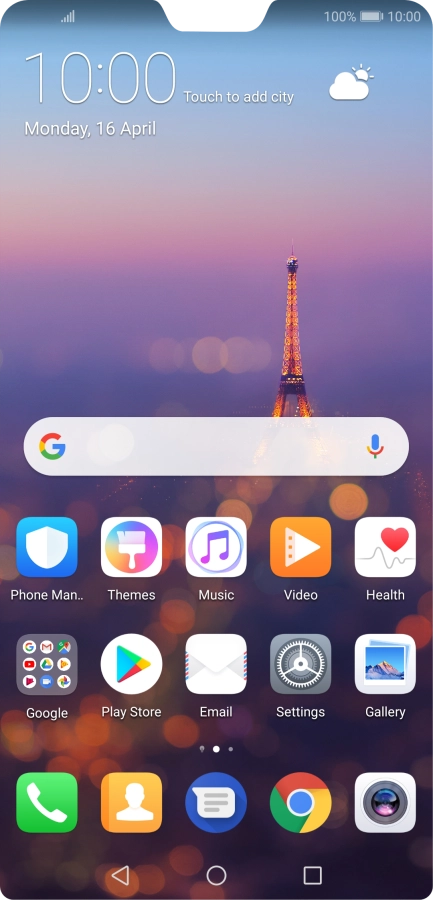
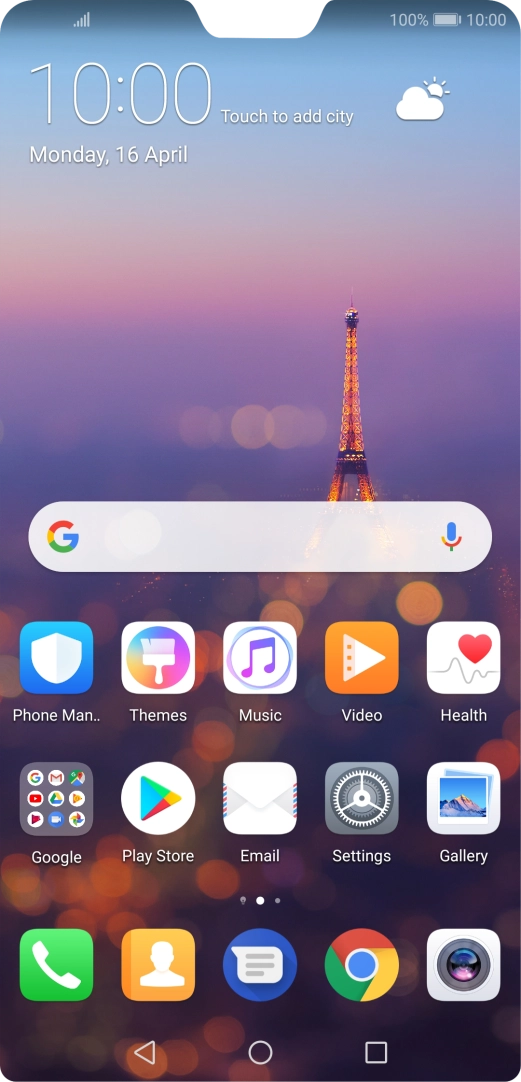
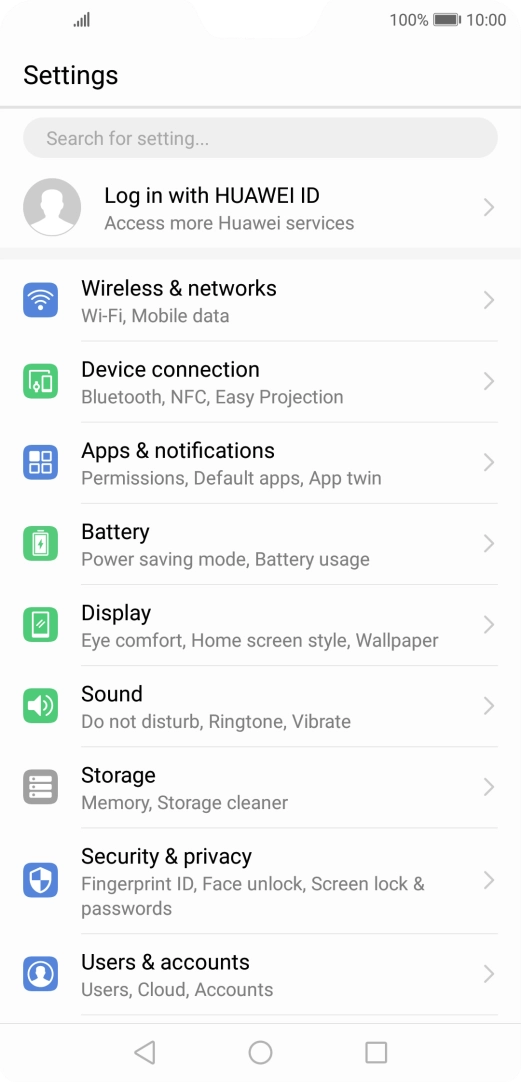
Press Settings.
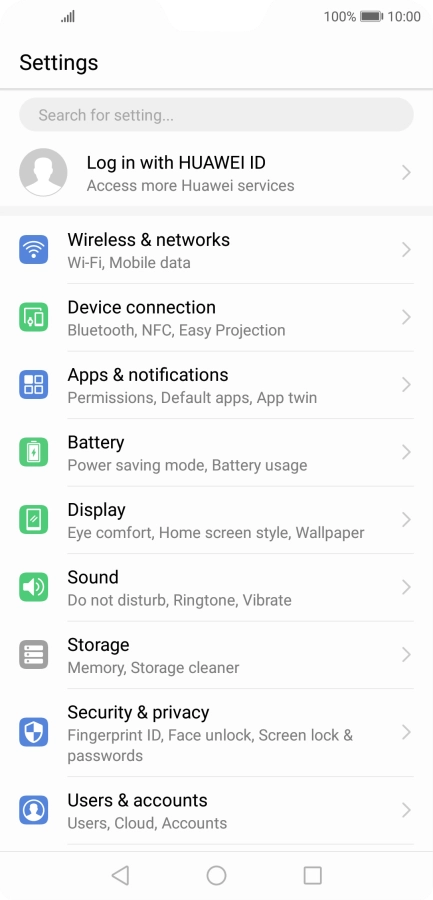
Press Settings.
Step 1 of 6

Press Settings.

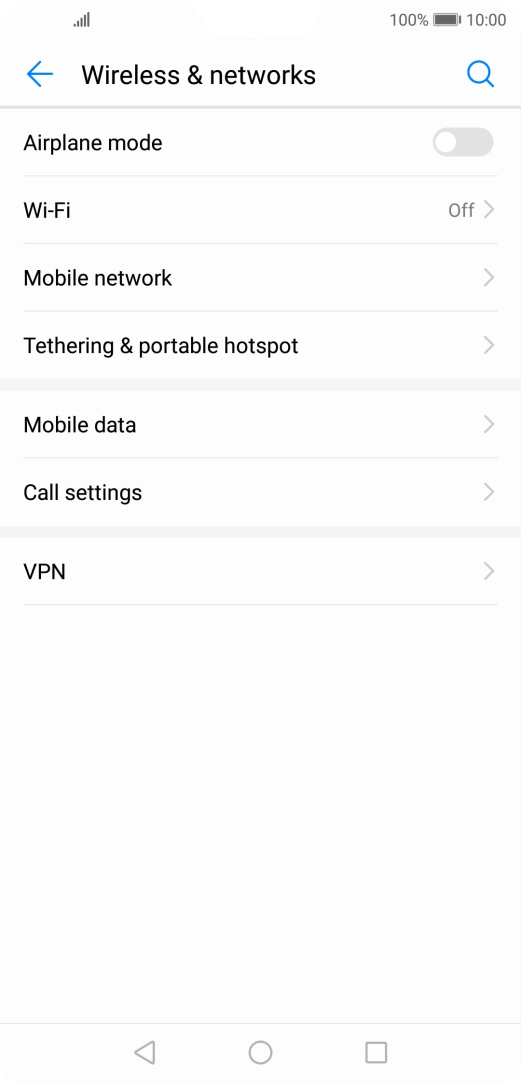
Press Wireless & networks.
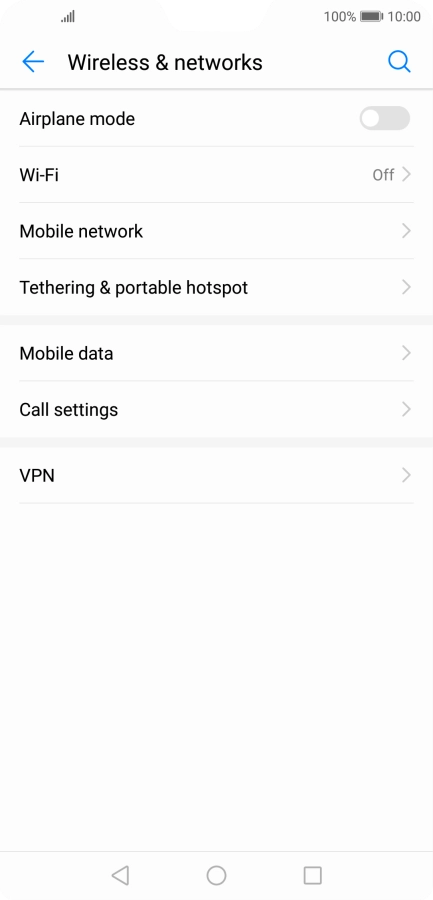
Step 2 of 6

Press Wireless & networks.

Press Wi-Fi.
Press Wi-Fi.
Step 3 of 6

Press Wi-Fi.

Press Wi-Fi+.
Press Wi-Fi+.
Step 4 of 6

Press Wi-Fi+.

Press the indicator next to
Step 5 of 6

Press the indicator next to "Wi-Fi+" to turn the function on or off.

Press the Home key to return to the home screen.
Step 6 of 6

Press the Home key to return to the home screen.

Get information on...

Or choose...

Show more