Help
Device guides
Huawei
P30 lite New Edition

Huawei P30 lite New Edition

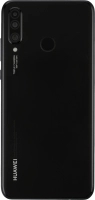
f-c99e242c-702a-40f1-9b5f-d38084b40266
f-5651e181-1124-4072-a855-df82e9eced61
f-6b3ea370-78c1-450f-9f59-e51cf111a771
f-cd4aca61-0b34-4cf2-a32d-a67a828b93ac
f-766244e0-8801-475d-a04e-3df3df914910
f-ba96b406-6f9d-4b4e-9623-1a9a95e58394
  • Device home
  • Getting started
  • Basic functions
  • Calls, contacts, messaging
  • Connectivity
  • Specifications
  • Device home
  • Getting started
  • Basic functions
  • Calls, contacts, messaging
  • Connectivity
  • Specifications

Updating phone software

It's recommended that you update your phone with the newest software, as the manufacturer continuously corrects errors. It's a good idea to back up the phone memory first. Before you can update the phone software, you need to set up your phone for internet.

Press Settings.
Press Settings.
Step 1 of 3

Press Settings.

Press System.
Press System.
Step 2 of 3

Press System.

Press Software update. If a new software version is available, it's displayed. Follow the instructions on the screen to update the phone software.
Step 3 of 3

Press Software update. If a new software version is available, it's displayed. Follow the instructions on the screen to update the phone software.

Get information on...

Or choose...

Show more