



Help
Device guides
Huawei
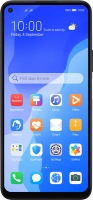
P40 lite 5G

Huawei P40 lite 5G

f-2a1cacb3-8bdc-4faf-ae12-ecefc097d38b
f-a674966d-ce0f-4a63-8cee-78138fbfe860
f-daea9c61-7a6b-4dfe-a7ae-2c9df301d429
f-26ebb6c4-75a0-4a28-b17b-8fdb06f173f5
f-3264d04f-477f-461d-b3cb-ad992c58e37d
f-15894f03-5d79-4c87-aa7f-f7d16d4eb8ab
  • Device home
  • Getting started
  • Basic functions
  • Calls, contacts, messaging
  • Connectivity
  • Specifications
  • Device home
  • Getting started
  • Basic functions
  • Calls, contacts, messaging
  • Connectivity
  • Specifications

It's not possible to start my phone

Solution 6 of 7: Your SIM has been permanently blocked


If your SIM has been permanently blocked, you'll need a new SIM.

Call customer services on 150 (from an EE phone) or 07953 966 250 (from other phones) to have a new SIM sent to you. You can also visit your nearest EE store to order a new SIM. Remember to bring valid picture ID.


Did this solve your problem?

Yes No

Get information on...

Or choose...

Show more