




Help
Device guides
Huawei
P40 Pro

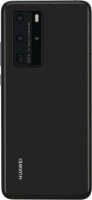
Huawei P40 Pro

f-68820e22-cce0-4e67-aef0-bb5aab9779da
f-06c071a9-fd11-4bf7-b744-39fc44a814c4
f-b91a16d7-edb4-4fce-bf25-c05d59517602
f-afd6e8b2-6543-480b-a0b7-316b6591b461
f-2ac96897-81fc-4309-a202-a6ea4ccfad30
f-01f5ba1c-9be7-4db8-8afe-0373d0e10ad8
  • Device home
  • Getting started
  • Basic functions
  • Calls, contacts, messaging
  • Connectivity
  • Specifications
  • Device home
  • Getting started
  • Basic functions
  • Calls, contacts, messaging
  • Connectivity
  • Specifications

It's not possible to use Wi-Fi

Solution 4 of 4: Your phone is connected to a Wi-Fi network, but you're not logged on


Some Wi-Fi networks require you to log on via a web page.

Open the internet browser on your phone and try to load a web page. The internet browser is redirected to the homepage of the Wi-Fi network. Follow the instructions on the screen to log on to the Wi-Fi network.


Did this solve your problem?

Yes No

Get information on...

Or choose...

Show more