Help
Device guides
Microsoft
Surface Go 3

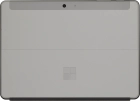
Microsoft Surface Go 3

f-fa21f256-8bba-44bb-9b83-82cd37c94129
f-7ab6181b-c1d1-40db-8be9-f8671759e7f6
f-5f1de494-2212-444e-aff7-455622fa62ea
f-2f21a26c-5cdc-4964-9b27-bb32601c8f1b
f-1782133a-5185-4fdc-8381-3b220e8ca83d
  • Device home
  • Getting started
  • Basic functions
  • Connectivity
  • Specifications
  • Device home
  • Getting started
  • Basic functions
  • Connectivity
  • Specifications

My laptop's battery life is short

Solution 1 of 4: The screen brightness is set too high

You can adjust the screen brightness to your surroundings.

Click the network icon.
Step 1 of 2

Click the network icon.

Drag the brightness indicator right or left to set the required brightness level.
Step 2 of 2

Drag the brightness indicator right or left to set the required brightness level.


Did this solve your problem?

Yes No

Get information on...

Or choose...

Show more