
Help
Device guides
Motorola
G53 5G

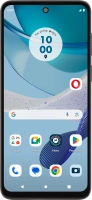
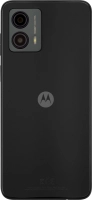
Motorola G53 5G

f-9cd5fe88-cb63-4cb7-91aa-404c94f33716
f-68fa002f-566d-4405-907b-73c03f232852
f-3b46ba9b-2d55-4da0-9b01-d16d95e16b23
f-2e6abf35-db21-4d4d-8550-28a63c1c90a6
f-e0802053-d044-4fed-9715-d0fa3882cda3
f-87c7ceeb-c590-4cfc-a6b9-e1494c073ede
f-5ade647c-94da-4161-ad02-958a1ef67f6c
f-64d62aaa-cc50-4ded-8903-35fc857ce4ae
  • Device home
  • Getting started
  • Basic functions
  • Calls, contacts, messaging
  • Connectivity
  • Specifications
  • Device home
  • Getting started
  • Basic functions
  • Calls, contacts, messaging
  • Connectivity
  • Specifications

Troubleshooting

  • It's not possible to receive messages on my voicemail
  • It's not possible to check my voicemail
  • It's not possible to send and receive text messages
  • It's not possible to send and receive picture messages
  • It's not possible to send and receive email messages
  • It's not possible to use Wi-Fi calling
  • It's not possible to make voice calls
  • It's not possible to receive voice calls

Call settings

  • Turning call waiting on or off
  • Turning your own caller identification on or off
  • Turning Wi-Fi calling on or off

Contacts

  • Saving new contact to your Google account
  • Importing contacts from your SIM to your Google account

Voicemail

  • Saving voicemail number
  • Diverting calls to voicemail
  • Cancelling all diverts

Call restrictions

  • Turning fixed dialling on or off

Text messaging

  • Setting up your phone for text messaging

Picture messaging

  • Setting up your phone for picture messaging

Email messaging

  • Setting up your phone for IMAP email

Get information on...

Or choose...

Show more