Help
Device guides
Motorola
Moto G62 5G

Motorola Moto G62 5G
f-780ab366-cbfa-4f08-be5b-3258a9b43f30
f-68d6e5ec-96d9-4ab5-8243-04130131c6c7
f-06c3443d-5175-4d16-98d3-ddb929f67db5
f-ee1f384e-5379-4006-82be-e1744f13fbf0
f-1e0a1755-6506-41bc-bdbf-35456af25067
f-dbd8b851-7911-49b8-a462-fe2d86d92c7b
  • Device home
  • Getting started
  • Basic functions
  • Calls, contacts, messaging
  • Connectivity
  • Specifications
  • Device home
  • Getting started
  • Basic functions
  • Calls, contacts, messaging
  • Connectivity
  • Specifications

Saving voicemail number

You can save your voicemail number making it easy to call and listen to your voice messages.
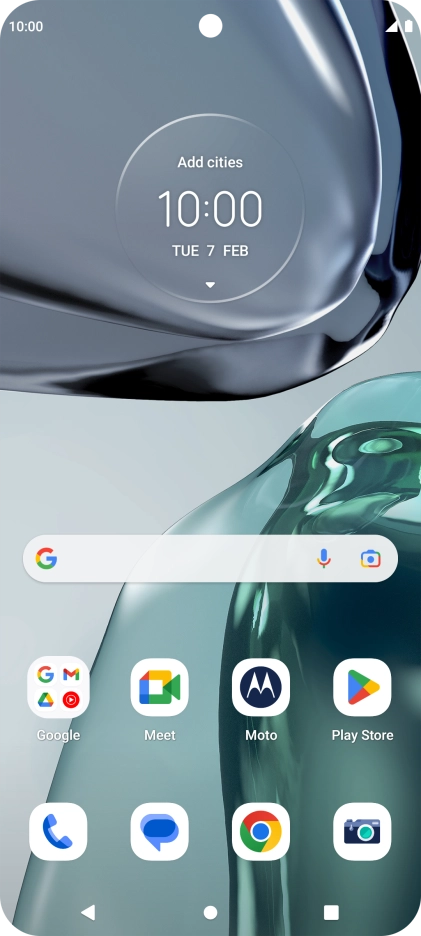
Press the phone icon.
Step 1 of 9

Press the phone icon.

Press the menu icon.
Step 2 of 9

Press the menu icon.

Press Settings.
Press Settings.
Step 3 of 9

Press Settings.

Press Voicemail.
Press Voicemail.
Step 4 of 9

Press Voicemail.

Press Advanced Settings.
Step 5 of 9

Press Advanced Settings.

Press Setup.
Press Setup.
Step 6 of 9

Press Setup.

Press Voicemail number.
Step 7 of 9

Press Voicemail number.

Key in +447953222222 and press OK.
+447953222222
Key in +447953222222 and press OK.
+447953222222
Step 8 of 9

Key in +447953222222 and press OK.

Press the Home key to return to the home screen.
Step 9 of 9

Press the Home key to return to the home screen.

Get information on...

Or choose...

Show more