Help
Device guides
Motorola
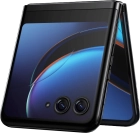
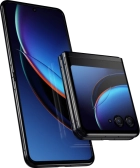
razr 40 ultra

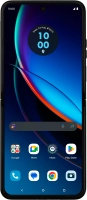
Motorola razr 40 ultra
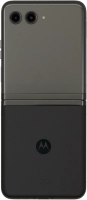
f-4a61d6c3-9456-4167-85ef-5303d20d1cd2
f-fb2d8988-81be-4ebb-8a15-4615963e3394
f-eedd0114-32d2-4309-b4b4-eb8bbab24797
f-e312c9e3-4d19-40c8-b231-306b166d3015
f-76f38f74-d65d-428b-9792-00da29a558c8
f-30564e4a-242d-43a0-a795-923e8329ea20
f-12557081-bfa2-425d-a095-fc62b0947918
f-c1b700dc-58d4-40d7-872d-8f227135de86
  • Device home
  • Getting started
  • Basic functions
  • Calls, contacts, messaging
  • Connectivity
  • Specifications
  • Device home
  • Getting started
  • Basic functions
  • Calls, contacts, messaging
  • Connectivity
  • Specifications

Troubleshooting

  • It's not possible to receive messages on my voicemail
  • It's not possible to check my voicemail
  • It's not possible to send and receive text messages
  • It's not possible to send and receive picture messages
  • It's not possible to send and receive email messages
  • It's not possible to use Wi-Fi calling
  • It's not possible to make voice calls
  • It's not possible to receive voice calls

Call settings

  • Turning call waiting on or off
  • Turning your own caller identification on or off
  • Turning Wi-Fi calling on or off

Contacts

  • Saving new contact to your Google account
  • Importing contacts from your SIM to your phone

Voicemail

  • Saving voicemail number
  • Diverting calls to voicemail
  • Cancelling all diverts

Call restrictions

  • Turning fixed dialling on or off

Text messaging

  • Setting up your phone for text messaging

Picture messaging

  • Setting up your phone for picture messaging

Email messaging

  • Setting up your phone for IMAP email

Get information on...

Or choose...

Show more