Help
Device guides
Motorola
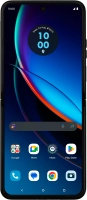
razr 40 ultra

Motorola razr 40 ultra
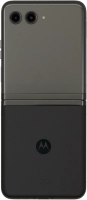
f-4a61d6c3-9456-4167-85ef-5303d20d1cd2
f-fb2d8988-81be-4ebb-8a15-4615963e3394
f-eedd0114-32d2-4309-b4b4-eb8bbab24797
f-e312c9e3-4d19-40c8-b231-306b166d3015
f-76f38f74-d65d-428b-9792-00da29a558c8
f-30564e4a-242d-43a0-a795-923e8329ea20
f-12557081-bfa2-425d-a095-fc62b0947918
f-c1b700dc-58d4-40d7-872d-8f227135de86
  • Device home
  • Getting started
  • Basic functions
  • Calls, contacts, messaging
  • Connectivity
  • Specifications
  • Device home
  • Getting started
  • Basic functions
  • Calls, contacts, messaging
  • Connectivity
  • Specifications

It's not possible to start my phone

Solution 4 of 7: Your SIM has been permanently blocked


If your SIM has been permanently blocked, you'll need a new SIM.

Call customer services on 150 (from an EE phone) or 07953 966 250 (from other phones) to have a new SIM sent to you. You can also visit your nearest EE store to order a new SIM. Remember to bring valid picture ID.


Did this solve your problem?

Yes No

Get information on...

Or choose...

Show more