Help
Device guides
Motorola
Razr 60 Ultra

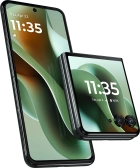
Motorola Razr 60 Ultra
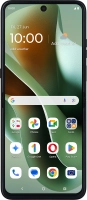
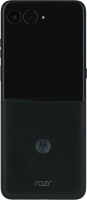
f-32a222c8-c99a-4a14-b28a-67c303091654
f-506ae2cb-7fb5-4346-9ca2-1ea6c6caa1cf
f-dba9d799-dd34-4cf6-91a5-b7c465d9357d
f-cd5bbef5-d349-4a72-8d67-775e656965bd
f-c8c58068-06be-47b5-a488-8a85199ee785
f-12c67ea4-4692-4149-83bf-91ab6d56af7b
f-3d705d68-08d1-4f58-8b95-785cb6cbaa31
f-024b4db6-4410-4dcc-87dc-0d543e6b7fa3
  • Device home
  • Getting started
  • Basic functions
  • Calls, contacts, messaging
  • Connectivity
  • Specifications
  • Device home
  • Getting started
  • Basic functions
  • Calls, contacts, messaging
  • Connectivity
  • Specifications

Troubleshooting

  • It's not possible to receive messages on my voicemail
  • It's not possible to check my voicemail
  • It's not possible to send and receive text messages
  • It's not possible to send and receive picture messages
  • It's not possible to send and receive email messages
  • It's not possible to use Wi-Fi calling
  • It's not possible to make voice calls
  • It's not possible to receive voice calls

Call settings

  • Turning call waiting on or off
  • Turning your own caller identification on or off
  • Turning Wi-Fi calling on or off

Voicemail

  • Saving voicemail number
  • Diverting calls to voicemail
  • Cancelling all diverts

Call restrictions

  • Turning fixed dialling on or off

Text messaging

  • Setting up your phone for text messaging

Picture messaging

  • Setting up your phone for picture messaging

Email messaging

  • Setting up your phone for IMAP email

Get information on...

Or choose...

Show more