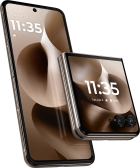
Motorola Razr 60 Ultra



It's not possible to send and receive picture messages
Solution 1 of 4: Your phone hasn't been correctly set up for picture messaging
A picture message is a message which can contain pictures and other media files and can be sent to other mobile phones. You can send and receive picture messages as soon as you've inserted your SIM. If this isn't the case, you can set up your phone for picture messaging manually.
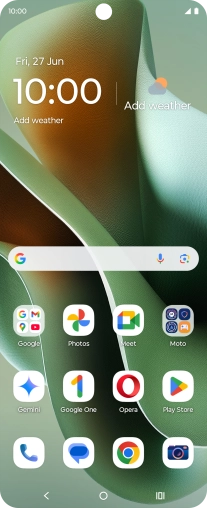

Slide your finger downwards starting from the top right side of the screen.
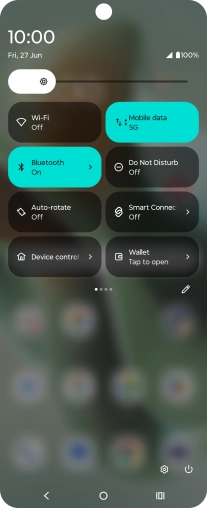

Press the settings icon.
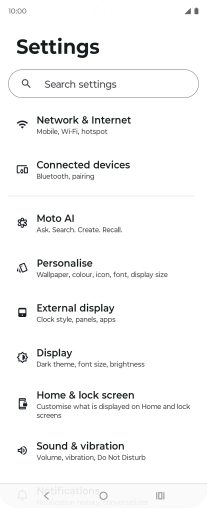

Press Network & Internet.
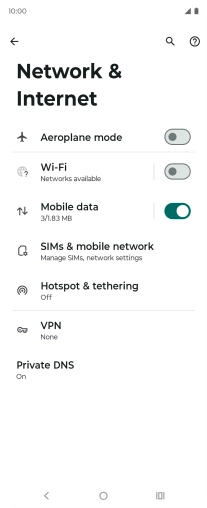

Press SIMs & mobile network.
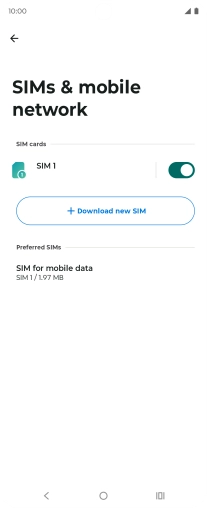

Press the name of the SIM.
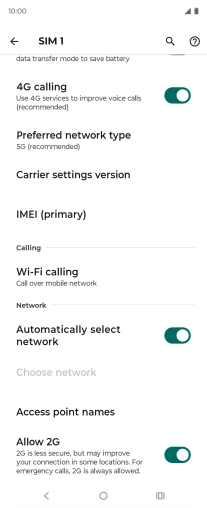

Press Access point names.
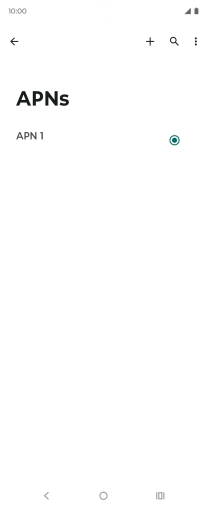

Press the new data connection icon.
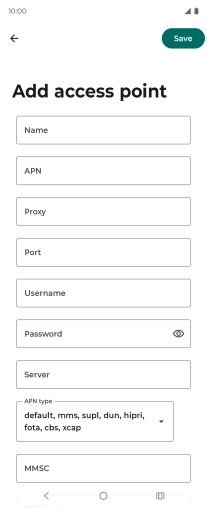

Press Name and key in EE MMS.
Press APN and key in eezone.
Press Username and key in eesecure.
Press Password and key in secure.
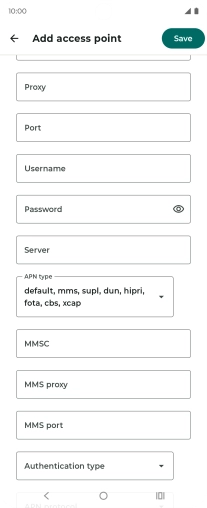

Press MMS proxy and key in 149.254.201.135.
Press MMS port and key in 8080.
Press Authentication type.
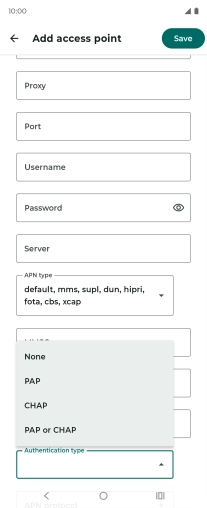

Press PAP.
Press the field below "APN type".
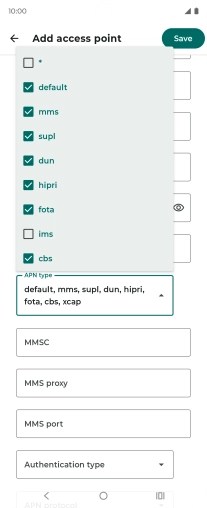

Press mms.
Press Save.


Press the Home key to return to the home screen.