
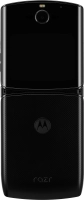



Help
Device guides
Motorola
razr

Motorola razr

f-686b22eb-8c7c-4041-9f25-cc969adae5fd
f-c695107c-92e9-4eb1-92cd-08716ca14cf3
f-1cc6a53f-15e4-48e5-b9e0-4424bf1404a7
f-22849592-59db-49b3-8de5-613d496f05fa
f-2a96d1d8-d9ec-470e-ad77-af6880090537
f-31576fbe-c999-4330-bf4b-2036b5eaa354
  • Device home
  • Getting started
  • Basic functions
  • Calls, contacts, messaging
  • Connectivity
  • Specifications
  • Device home
  • Getting started
  • Basic functions
  • Calls, contacts, messaging
  • Connectivity
  • Specifications

Restarting your phone

If your phone is slow or freezes, it might help to restart it.

Press and hold On/Off.
Step 1 of 2

Press and hold On/Off.

Simultaneously, press and hold the upper part of the Volume key and keep them both pressed until your phone restarts.
Step 2 of 2

Simultaneously, press and hold the upper part of the Volume key and keep them both pressed until your phone restarts.

Get information on...

Or choose...

Show more