


Help
Device guides
OPPO
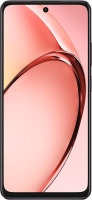
A60

OPPO A60

f-11e223e2-2f8f-4228-8a65-af04af342d68
f-e3c02c0a-df86-4646-a5b1-0c0c3664800d
f-d15371d9-498c-449e-a6b5-343d69e9918b
f-cea7f7ba-5fee-4429-81c5-3cbcc56e3857
f-c61c1335-5ddb-4f7e-a91b-f19e20f35365
f-f3994b2e-5b66-4043-9088-d89a289b023f
f-5ec91a6e-efaf-4541-b147-977d07b5ac5a
f-3ea3926a-b15b-4276-9ea4-e3be1437f4dc
  • Device home
  • Getting started
  • Basic functions
  • Calls, contacts, messaging
  • Connectivity
  • Specifications
  • Device home
  • Getting started
  • Basic functions
  • Calls, contacts, messaging
  • Connectivity
  • Specifications

It's not possible to use my phone as a Wi-Fi hotspot

Solution 2 of 2: The password used on the other device is incorrect


To use your phone as a Wi-Fi hotspot, you need to key in the password you selected when you set up your phone as a Wi-Fi hotspot on the other device.

Check the password for the Wi-Fi hotspot on your phone and key in the correct password on the other device.


Did this solve your problem?

Yes No

Get information on...

Or choose...

Show more