



Help
Device guides
OPPO
A78 5G

OPPO A78 5G

f-fdd04c18-7774-43d7-907e-a6d59bb4e1fb
f-5050a6fc-fb09-4582-9ca7-1f98380ae56b
f-4a1bc0e5-80c9-4240-8421-5dd2bb6a14d5
f-1ecd4185-2ae8-4d03-99da-1ab33939e2bf
f-7833af5c-52cb-4ff6-86f8-4c6f56665bcf
f-b7205d05-57d7-4def-9f22-0d69ff21390a
  • Device home
  • Getting started
  • Basic functions
  • Calls, contacts, messaging
  • Connectivity
  • Specifications
  • Device home
  • Getting started
  • Basic functions
  • Calls, contacts, messaging
  • Connectivity
  • Specifications

Uninstalling apps

You can uninstall apps to free up memory.

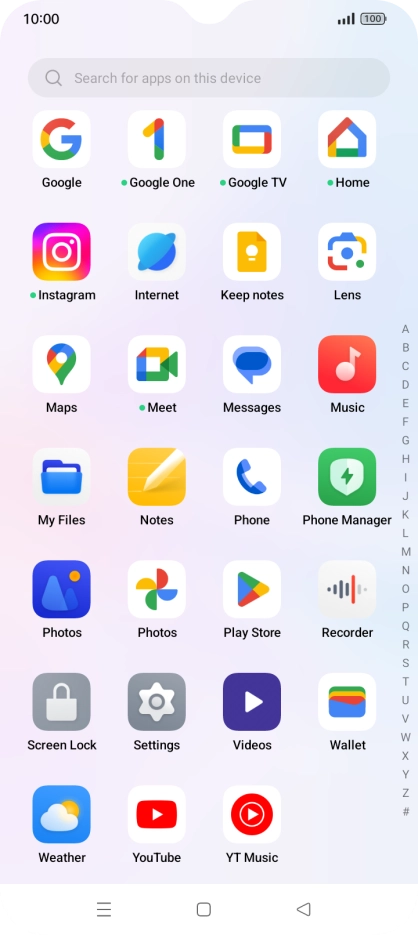
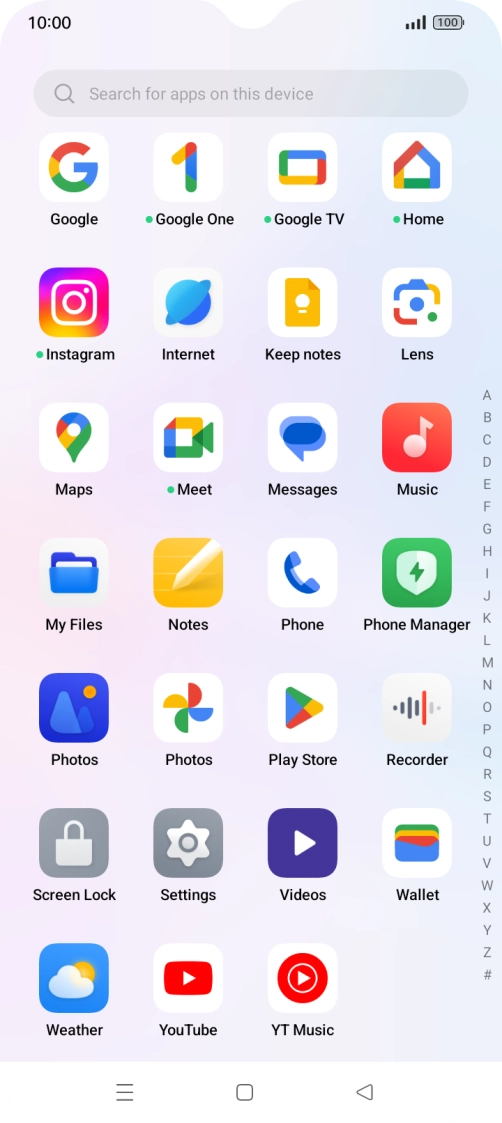
Slide your finger upwards on the screen.
Step 1 of 9

Slide your finger upwards on the screen.

Press Play Store.
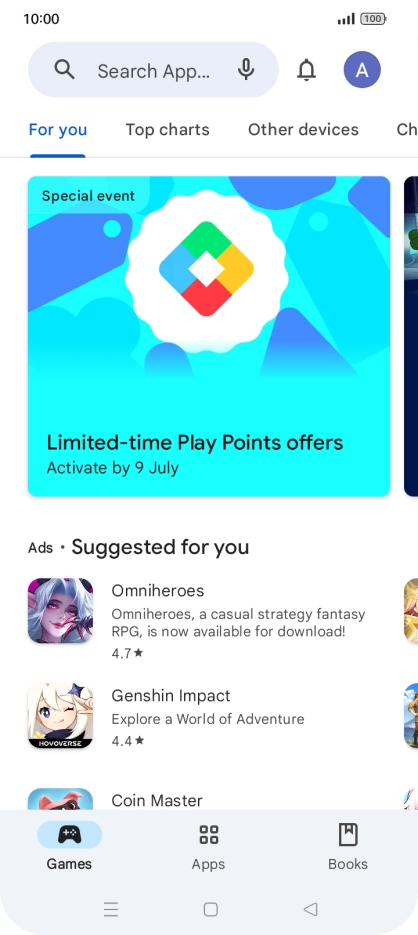
Press Play Store.
Step 2 of 9

Press Play Store.

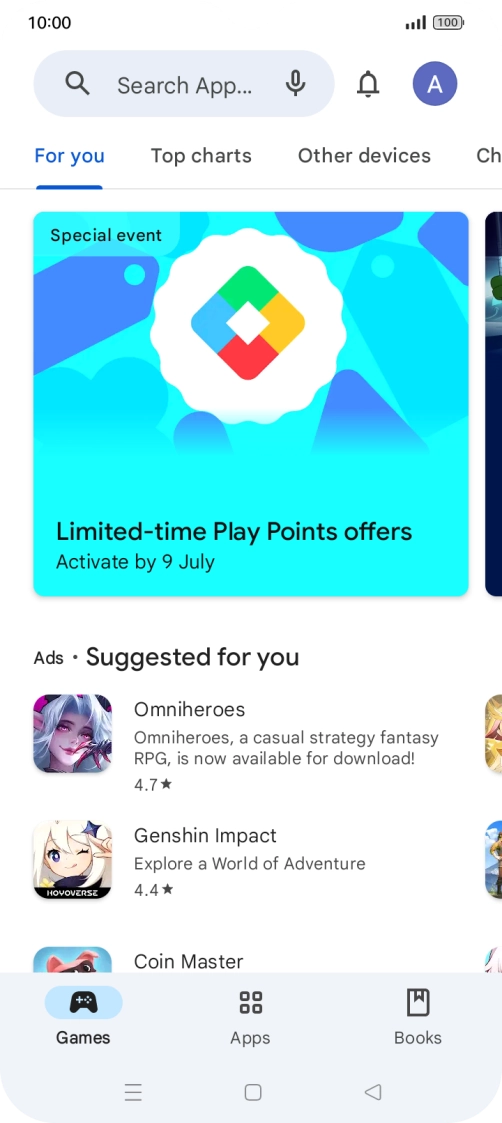
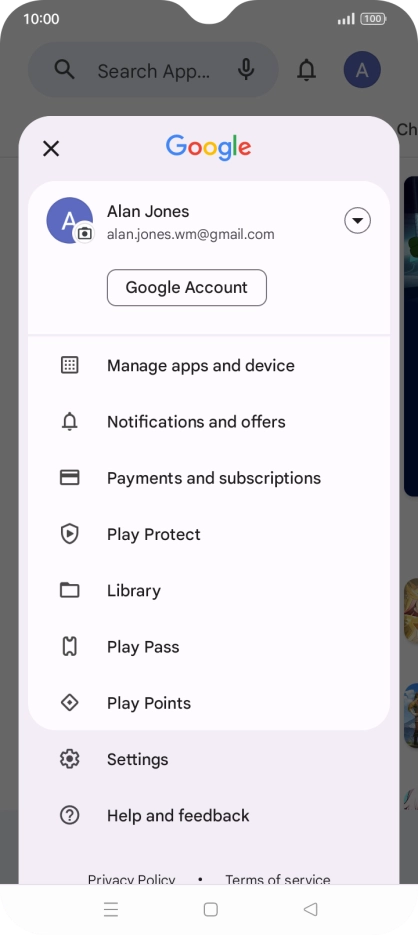
Press the profile icon.
Step 3 of 9

Press the profile icon.

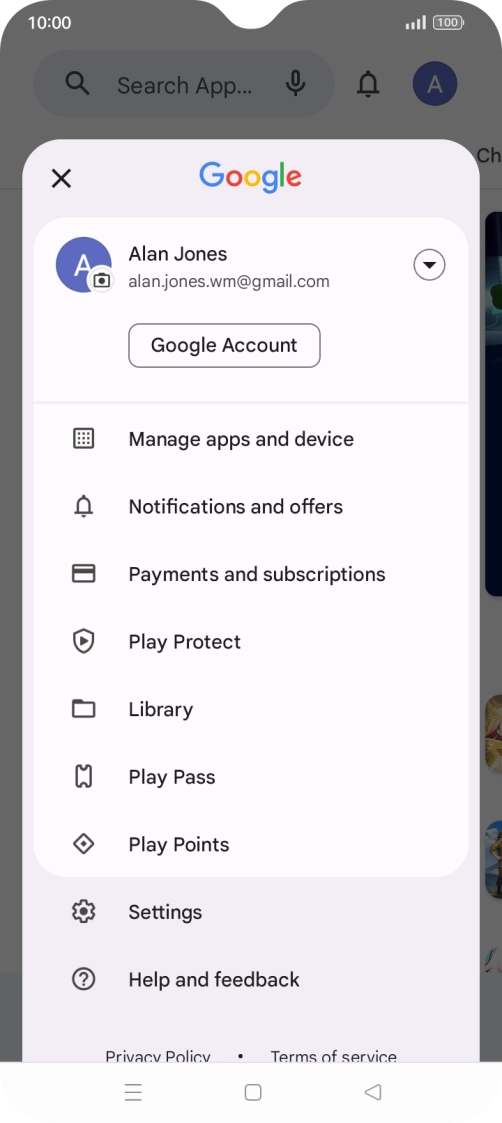
Press Manage apps and device.
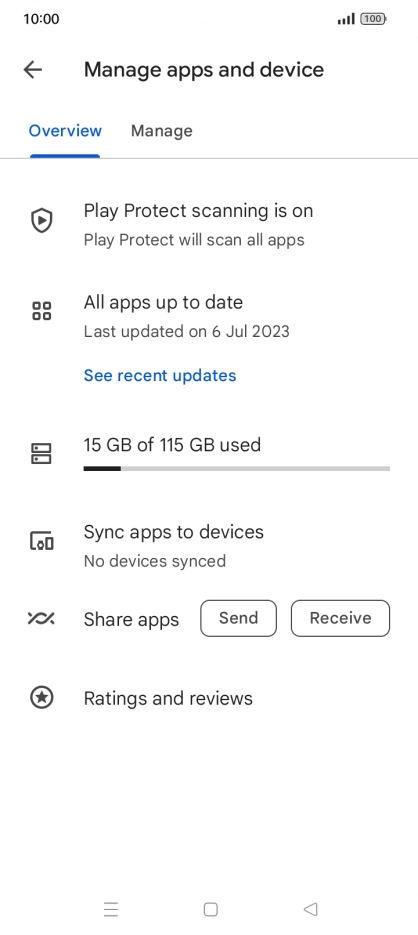
Step 4 of 9

Press Manage apps and device.

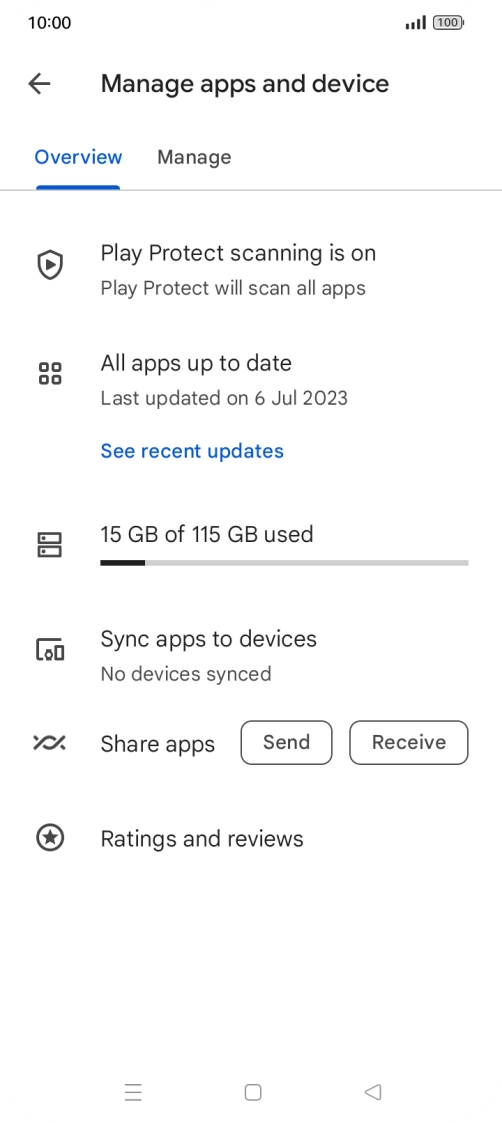
Press Manage.
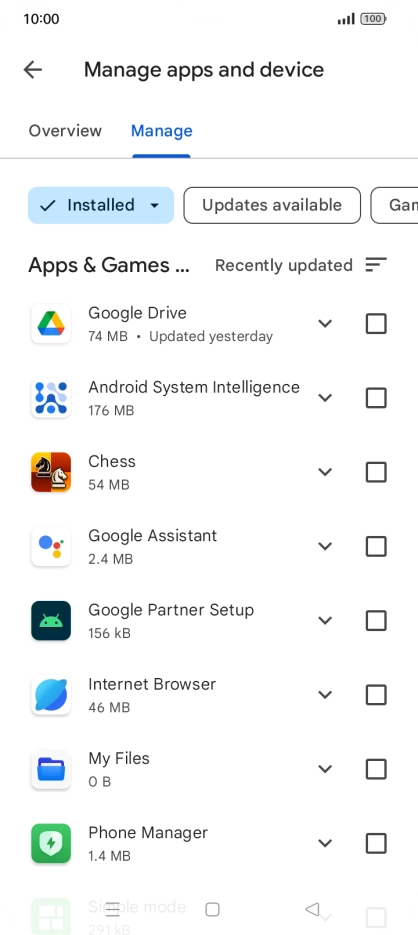
Press Manage.
Step 5 of 9

Press Manage.

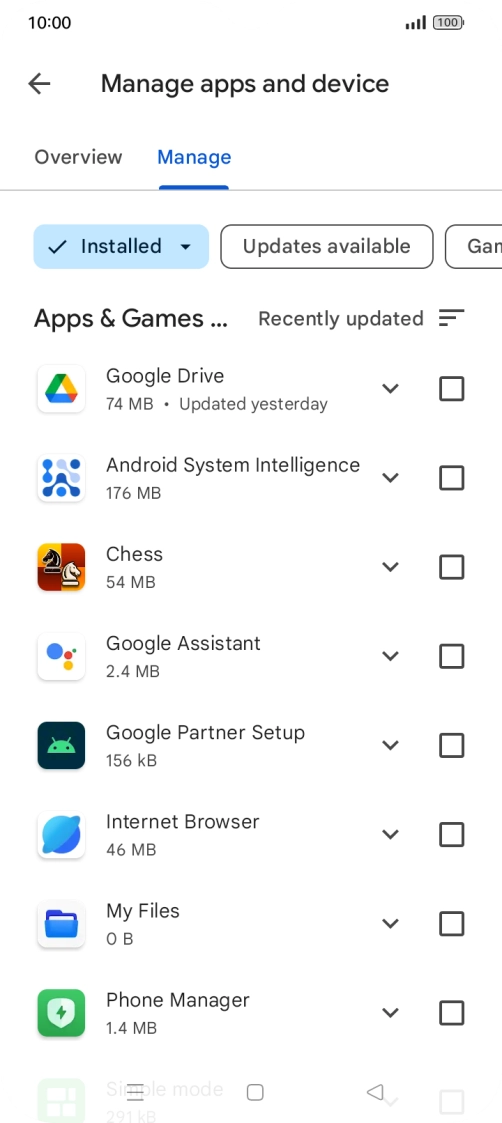
Press the required app.
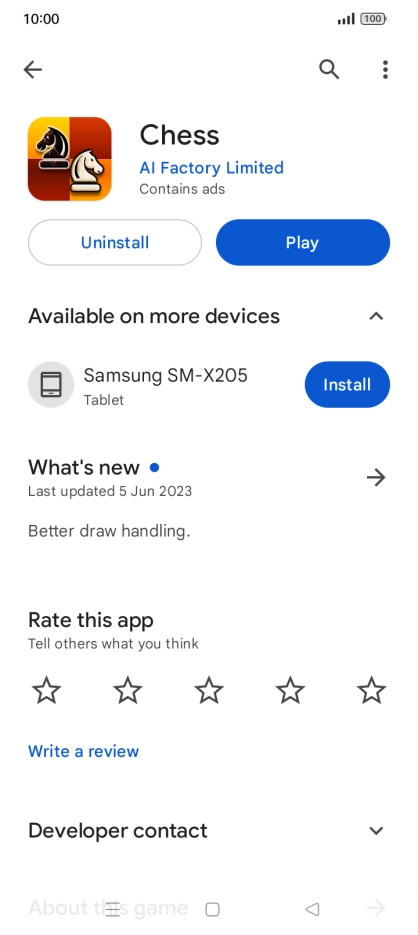
Step 6 of 9

Press the required app.

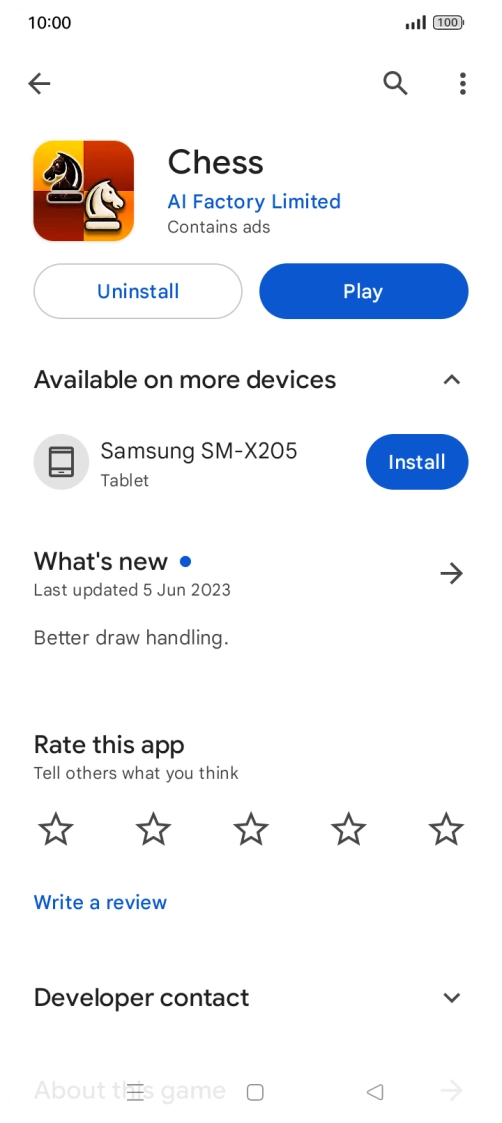
Press Uninstall.
Press Uninstall.

Step 7 of 9

Press Uninstall.

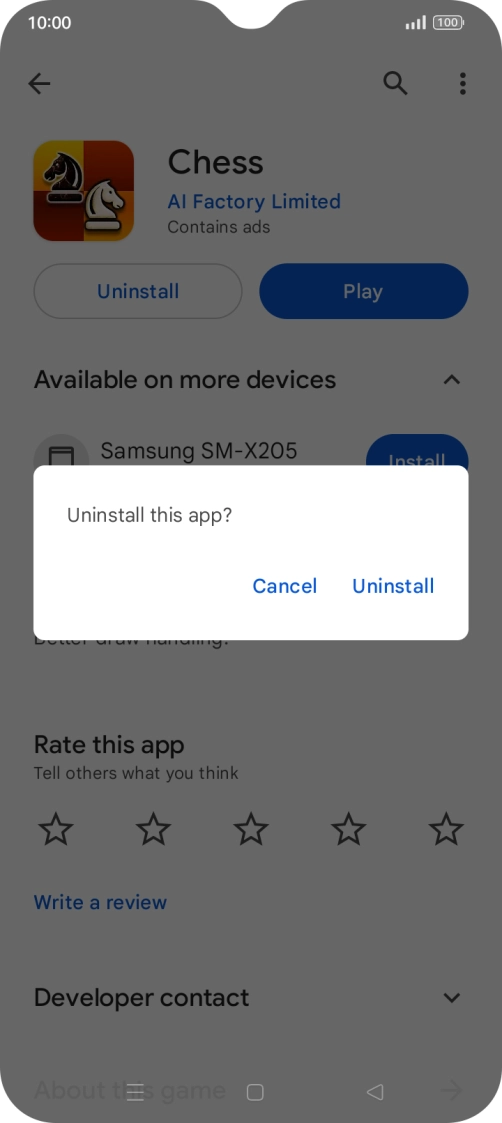
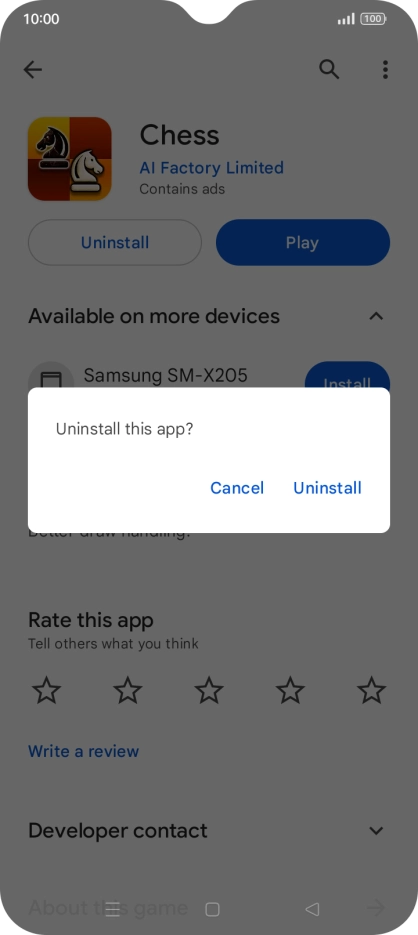
Press Uninstall.

Press Uninstall.
Step 8 of 9

Press Uninstall.

Press the Home key to return to the home screen.
Step 9 of 9

Press the Home key to return to the home screen.

Get information on...

Or choose...

Show more