



Help
Device guides
OPPO
Find N2 Flip

OPPO Find N2 Flip

f-e5f4aed4-3970-4f30-9281-8cae2cd1b4e7
f-a18ceff3-03c2-4d79-a0bc-f16a4b6d5517
f-73648a17-925f-403e-a222-b1e3ab94a47b
f-e2ee1346-cd1b-43b6-bfa9-a74f0c5c43d0
f-3c5e44f7-9dd8-4829-8104-df2f8b8099b2
f-39e287d0-de15-4a70-97c1-4a9052b3c204
  • Device home
  • Getting started
  • Basic functions
  • Calls, contacts, messaging
  • Connectivity
  • Specifications
  • Device home
  • Getting started
  • Basic functions
  • Calls, contacts, messaging
  • Connectivity
  • Specifications

Diverting calls to voicemail

To receive voice messages, you need to divert your calls to your voicemail.

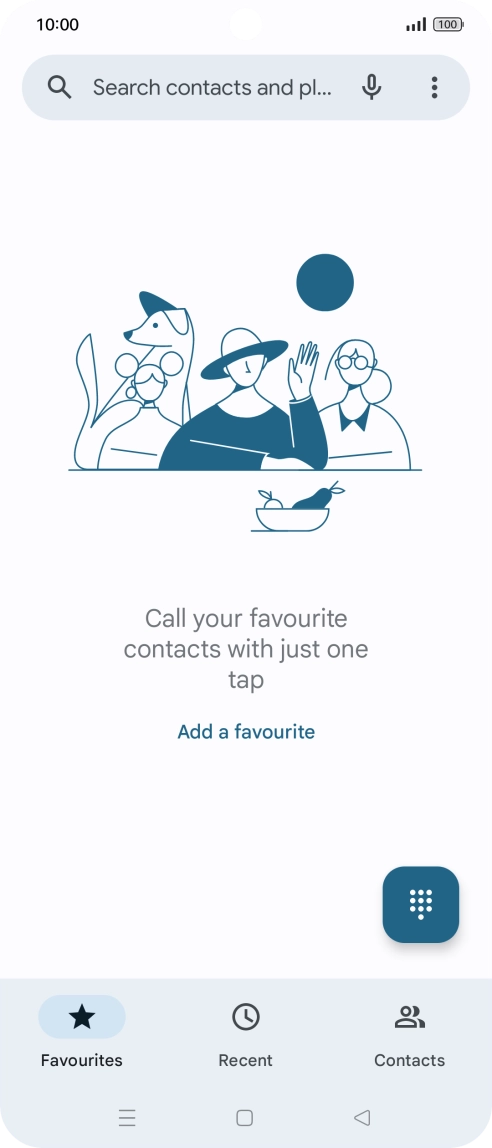
Press the call icon.
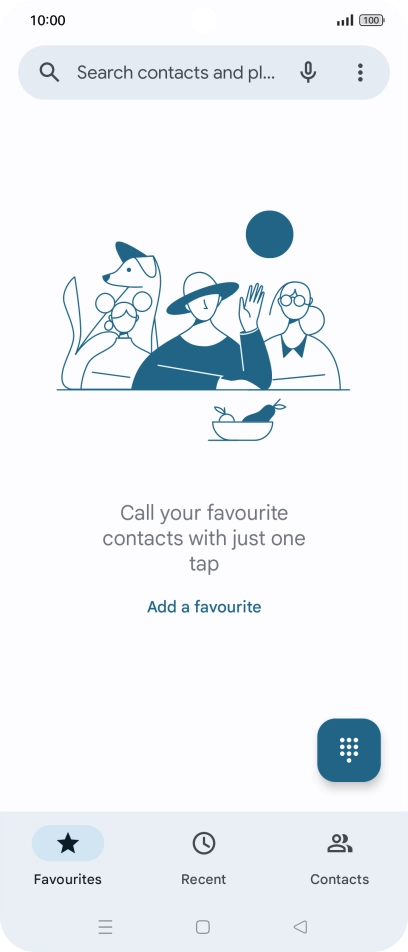
Step 1 of 9

Press the call icon.

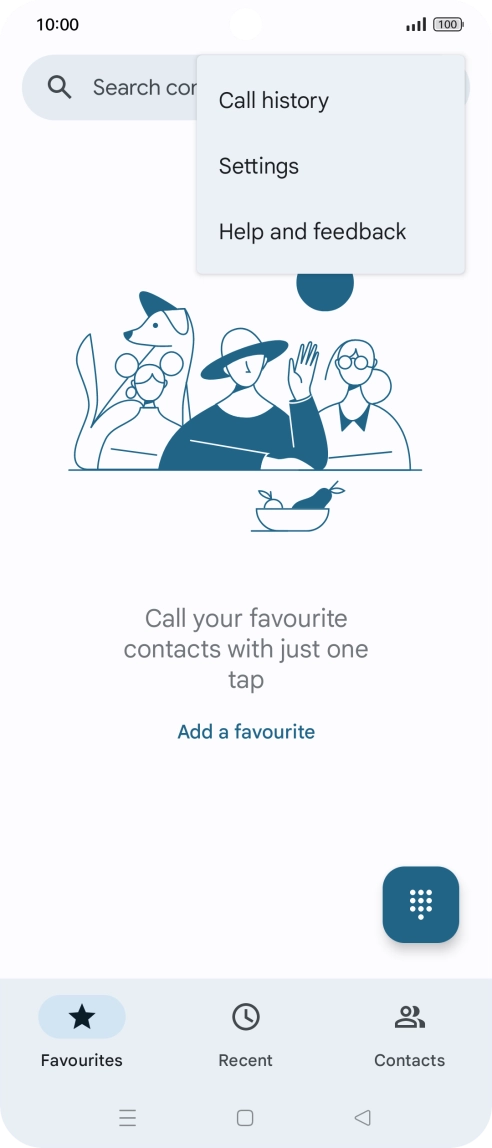
Press the menu icon.
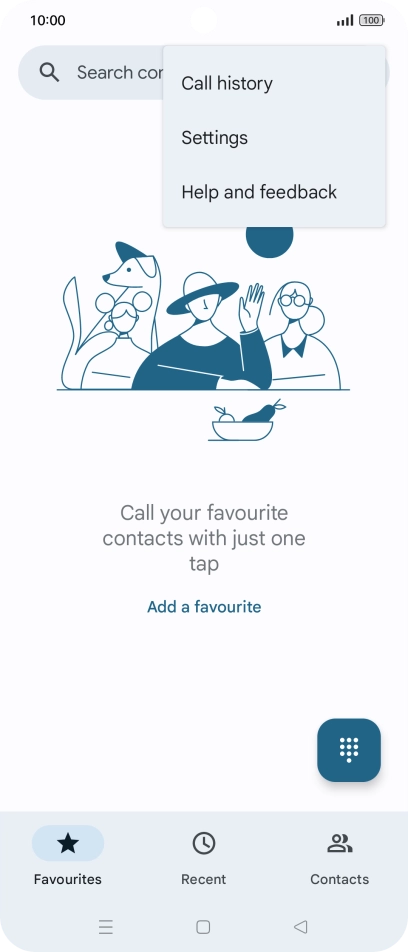
Step 2 of 9

Press the menu icon.

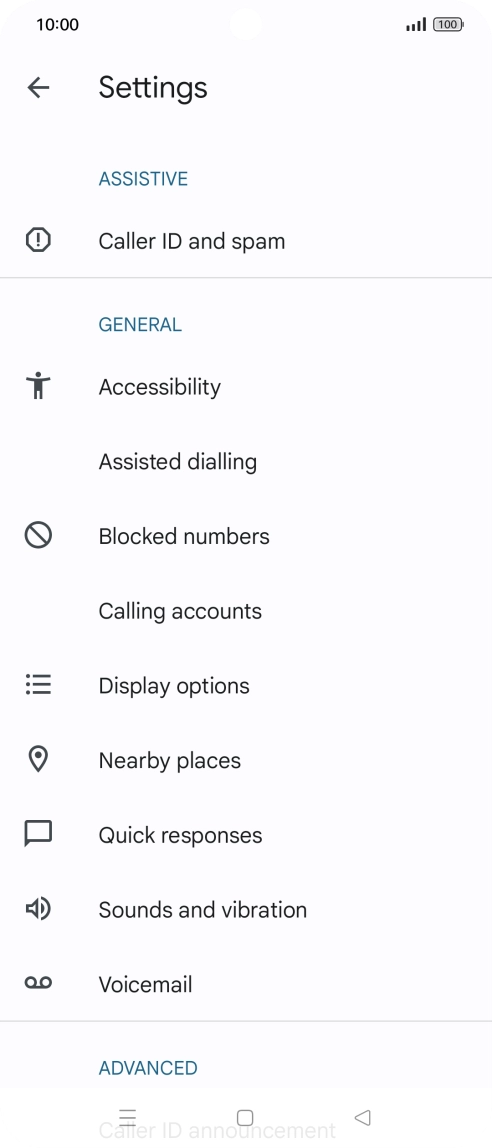
Press Settings.
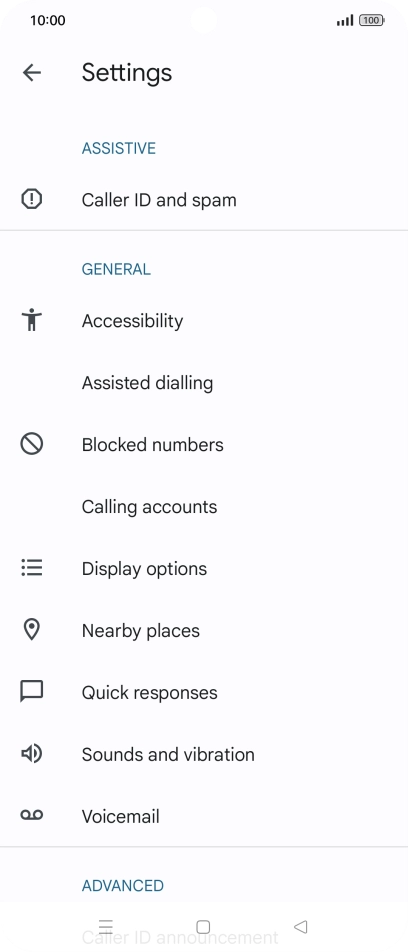
Press Settings.
Step 3 of 9

Press Settings.

Press Calling accounts.
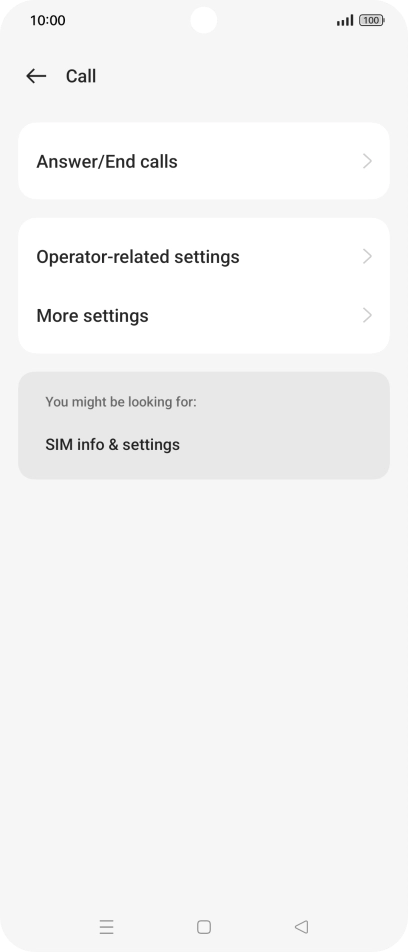
Step 4 of 9

Press Calling accounts.

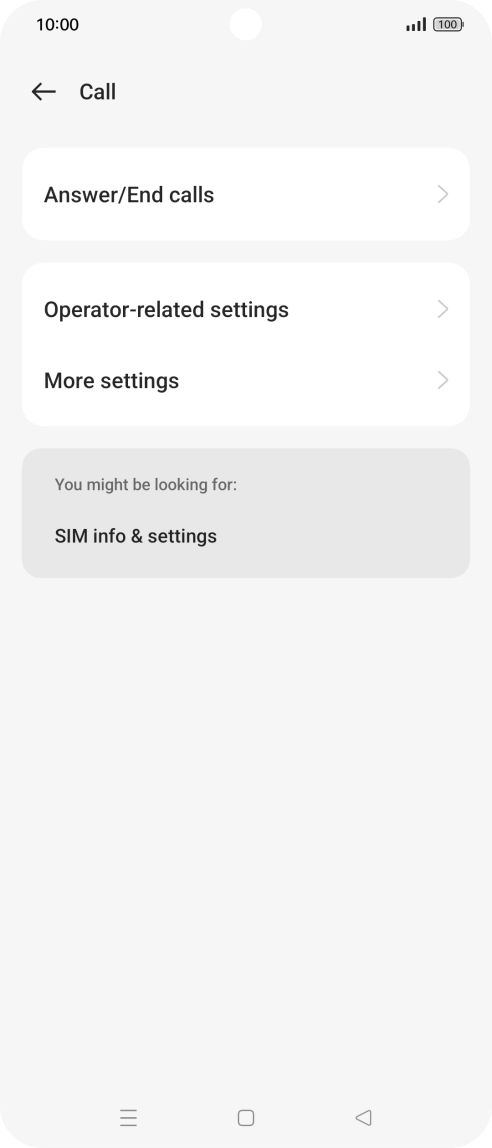
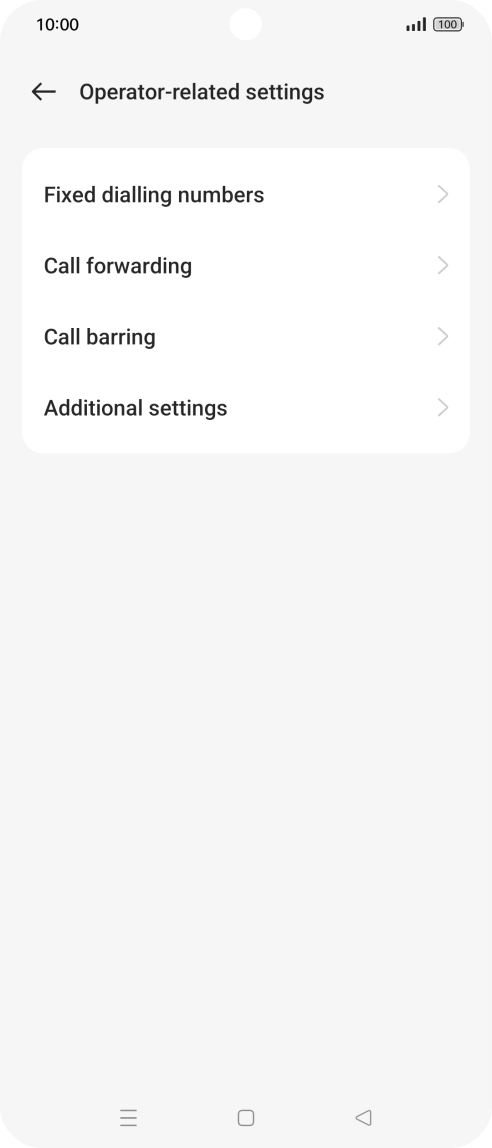
Press Operator-related settings.
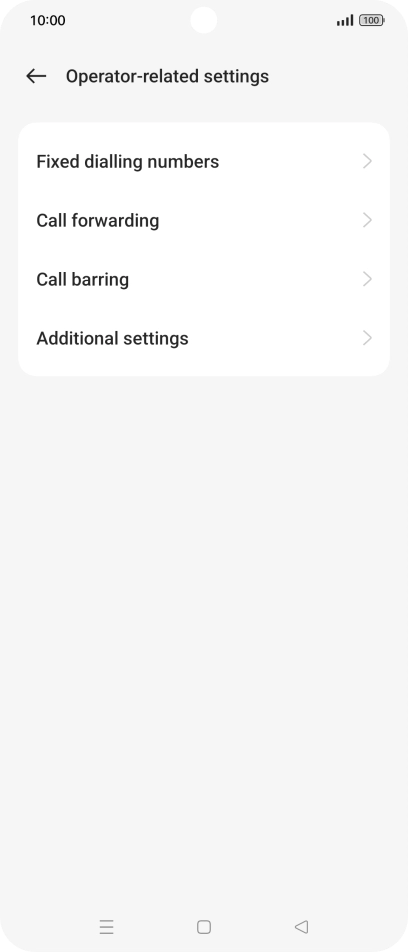
Step 5 of 9

Press Operator-related settings.

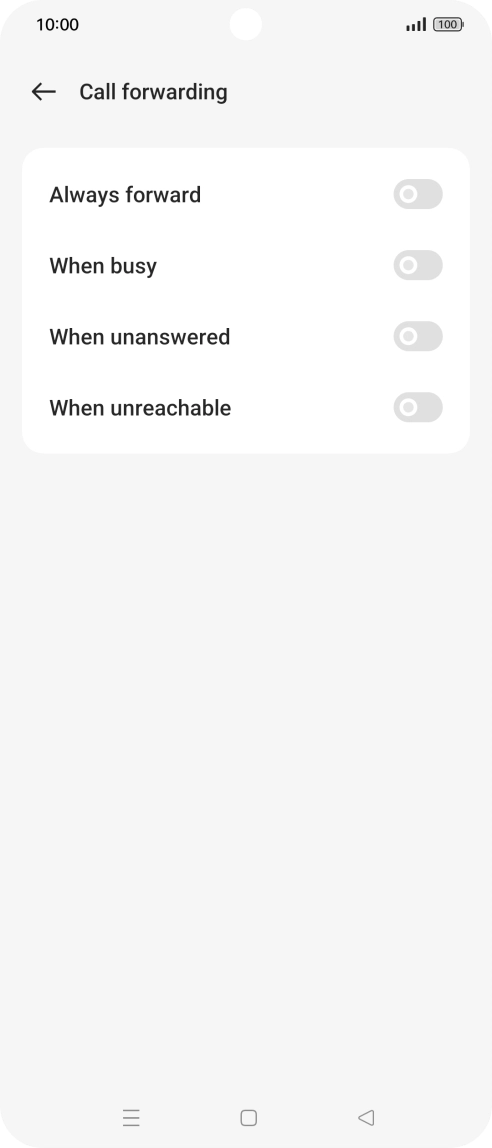
Press Call forwarding.
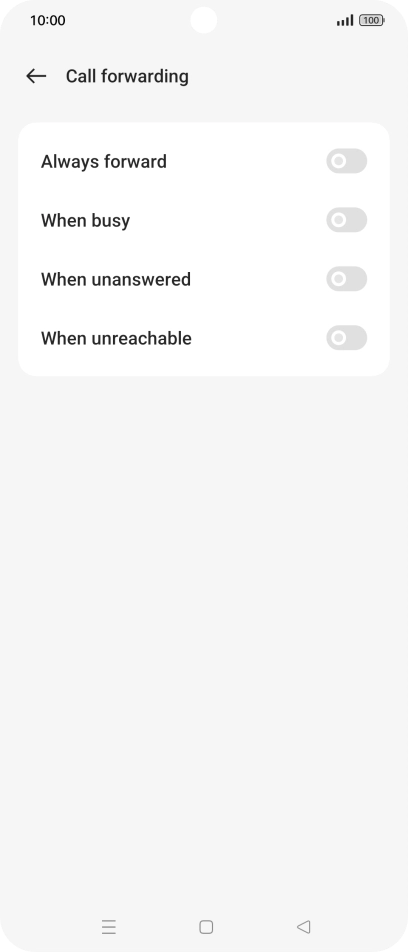
Step 6 of 9

Press Call forwarding.

Press the indicator next to the required divert type.
Step 7 of 9

Press the indicator next to the required divert type.

Key in +447953222222 and press the confirm icon.
+447953222222
Key in +447953222222 and press the confirm icon.
+447953222222
Step 8 of 9

Key in +447953222222 and press the confirm icon.

Press the Home key to return to the home screen.
Step 9 of 9

Press the Home key to return to the home screen.

Get information on...

Or choose...

Show more