



Help
Device guides
OPPO
Find X2 Pro

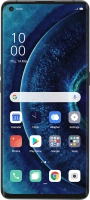
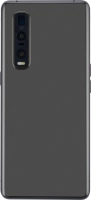
OPPO Find X2 Pro

f-086728f4-b0d2-429a-8352-3311ee5d9b92
f-d52cd822-81d0-4115-9550-ba7825f440ca
f-212778e6-1139-4a0d-ba4a-60ef541fc757
f-8bbe6955-04d3-4e03-ae59-3adf6fb35137
f-672211fe-e943-4812-b67c-13089674d856
f-9756173f-11b6-4bf5-8ff6-5b740c61d93d
  • Device home
  • Getting started
  • Basic functions
  • Calls, contacts, messaging
  • Connectivity
  • Specifications
  • Device home
  • Getting started
  • Basic functions
  • Calls, contacts, messaging
  • Connectivity
  • Specifications

It's not possible to use my phone as a Wi-Fi hotspot

Solution 1 of 2: The password used on the other device is incorrect


To use your phone as a Wi-Fi hotspot, you need to key in the password you selected when you set up your phone as a Wi-Fi hotspot on the other device.

Check the password for the Wi-Fi hotspot on your phone and key in the correct password on the other device.


Did this solve your problem?

Yes No

Get information on...

Or choose...

Show more