



Help
Device guides
OPPO
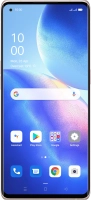
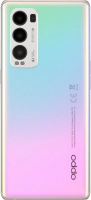
Find X3 Neo

OPPO Find X3 Neo

f-705b3c89-f8b1-4b6b-9d24-ccd877c026a4
f-b34553d4-9316-4293-8b78-51d665374675
f-965502a6-03b2-4297-b7f4-8d5903a54db1
f-d1b3b821-45dc-42bc-971f-8e57348cc6ff
f-73c4675a-badf-481c-8747-170fb31c139e
f-eb44f1bc-f5f7-4e3f-a650-70003b40ed90
  • Device home
  • Getting started
  • Basic functions
  • Calls, contacts, messaging
  • Connectivity
  • Specifications
  • Device home
  • Getting started
  • Basic functions
  • Calls, contacts, messaging
  • Connectivity
  • Specifications

Troubleshooting

  • It's not possible to receive messages on my voicemail
  • It's not possible to check my voicemail
  • It's not possible to send and receive text messages
  • It's not possible to send and receive picture messages
  • It's not possible to send and receive email messages
  • It's not possible to make voice calls
  • It's not possible to receive voice calls

Call settings

  • Turning call waiting on or off
  • Turning your own caller identification on or off

Contacts

  • Creating contact
  • Calling a contact in your address book

Voicemail

  • Saving voicemail number
  • Diverting calls to voicemail
  • Cancelling all diverts

Call restrictions

  • Turning call barring on or off
  • Turning fixed dialling on or off

Text messaging

  • Setting up your phone for text messaging
  • Writing and sending text messages

Picture messaging

  • Setting up your phone for picture messaging
  • Writing and sending picture messages

Email messaging

  • Setting up your phone for POP3 email
  • Writing and sending email messages
  • Setting up your phone for IMAP email

Get information on...

Or choose...

Show more