




Help
Device guides
OPPO
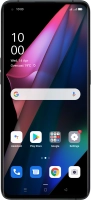
Find X3 Pro 5G

OPPO Find X3 Pro 5G

f-d9578667-1d15-4f35-a1fd-0e9bb68e6b26
f-84f1a5c8-4d53-4507-a623-1e8c4c31313e
f-57f481a5-0c17-4996-80ca-2bc4b8e8974a
f-18a1c559-e245-4fb9-bfb4-19fcd424586c
f-3f763c8a-c5f9-461c-8b79-bb7c0cb588be
f-ed7ab942-f79e-4b54-87c9-612e0fae9658
  • Device home
  • Getting started
  • Basic functions
  • Calls, contacts, messaging
  • Connectivity
  • Specifications
  • Device home
  • Getting started
  • Basic functions
  • Calls, contacts, messaging
  • Connectivity
  • Specifications

It's not possible to receive voice calls

Solution 3 of 3: There's a connection error

If your phone is slow or freezes, it might help to restart it.

Press On/Off.
Press On/Off.
Step 1 of 2

Press On/Off.

Simultaneously, press and hold the Top volume key and keep them both pressed until your phone restarts.
Step 2 of 2

Simultaneously, press and hold the Top volume key and keep them both pressed until your phone restarts.


Did this solve your problem?

Yes No

Get information on...

Or choose...

Show more