



Help
Device guides
OPPO
Find X5 Pro

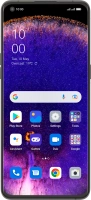
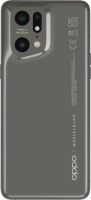
OPPO Find X5 Pro

f-f63200ac-2ea2-44b0-b15e-2d8cc5b5f919
f-4d27fb34-5681-4e52-b30f-b47a49d47c75
f-f813ac54-ea1c-47a5-9e7a-6bc01ea9de30
f-9a33bd3b-969e-4b55-a081-4998b5ff1088
f-90e422b8-f97c-432f-b367-342cf4eea5e3
f-e6837c95-e259-4bad-b85a-ab54f378ff40
  • Device home
  • Getting started
  • Basic functions
  • Calls, contacts, messaging
  • Connectivity
  • Specifications
  • Device home
  • Getting started
  • Basic functions
  • Calls, contacts, messaging
  • Connectivity
  • Specifications

It's not possible to use my phone as a Wi-Fi hotspot

Solution 1 of 2: The password used on the other device is incorrect


To use your phone as a Wi-Fi hotspot, you need to key in the password you selected when you set up your phone as a Wi-Fi hotspot on the other device.

Check the password for the Wi-Fi hotspot on your phone and key in the correct password on the other device.


Did this solve your problem?

Yes No

Get information on...

Or choose...

Show more