




Help
Device guides
Samsung
Galaxy A04s

Samsung Galaxy A04s

f-afe3329c-b636-43ca-a582-bb69ae2f721e
f-7e433181-4c67-4085-9839-0b9817dbadcd
f-9619b616-f542-4e1a-bfb6-7b024257f1f4
f-2f0475ae-9ded-4309-b484-5e0ee884e44a
f-d8ef024a-a1d6-4042-874c-7a1e8d4121d0
f-3e678ab1-973b-4972-823a-248b29bd5137
  • Device home
  • Getting started
  • Basic functions
  • Calls, contacts, messaging
  • Connectivity
  • Specifications
  • Device home
  • Getting started
  • Basic functions
  • Calls, contacts, messaging
  • Connectivity
  • Specifications

Saving voicemail number

You can save your voicemail number making it easy to call and listen to your voice messages.
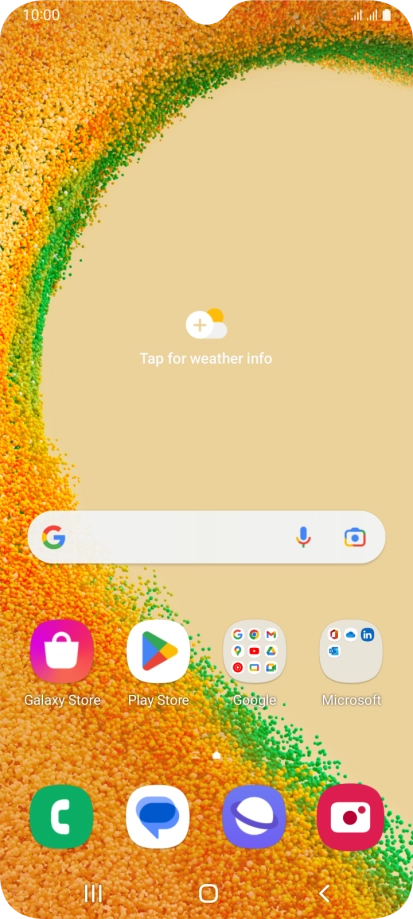
Press the phone icon.
Step 1 of 7

Press the phone icon.

Press the menu icon.
Step 2 of 7

Press the menu icon.

Press Settings.
Press Settings.
Step 3 of 7

Press Settings.

Press Voicemail.
Press Voicemail.
Step 4 of 7

Press Voicemail.

Press Voicemail number.
Step 5 of 7

Press Voicemail number.

Key in +447953222222 and press OK.
+447953222222
Key in +447953222222 and press OK.
+447953222222
Step 6 of 7

Key in +447953222222 and press OK.

Press the Home key to return to the home screen.
Step 7 of 7

Press the Home key to return to the home screen.

Get information on...

Or choose...

Show more