Help
Device guides
Samsung
Galaxy A14 5G

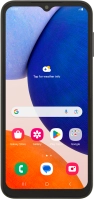
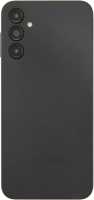
Samsung Galaxy A14 5G
f-7bd02f1e-1ca3-40ba-8fb6-16ace2d18b48
f-83e22f2d-bf6e-4954-9845-c01ae4659420
f-e7962994-440f-4fcc-a0fa-0588f390bb2c
f-870e1704-a63c-4060-bfe8-d4ca01085e46
f-6b5f509d-fb67-4a12-a242-2620a983a7bc
f-54781426-4baa-4418-99bd-7b2765a3075d
  • Device home
  • Getting started
  • Basic functions
  • Calls, contacts, messaging
  • Connectivity
  • Specifications
  • Device home
  • Getting started
  • Basic functions
  • Calls, contacts, messaging
  • Connectivity
  • Specifications

It's not possible to use my phone as a Wi-Fi hotspot

Solution 2 of 2: The password used on the other device is incorrect


To use your phone as a Wi-Fi hotspot, you need to key in the password you selected when you set up your phone as a Wi-Fi hotspot on the other device.

Check the password for the Wi-Fi hotspot on your phone and key in the correct password on the other device.


Did this solve your problem?

Yes No

Get information on...

Or choose...

Show more