Help
Device guides
Samsung
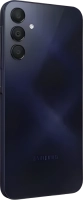
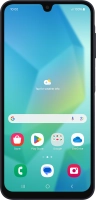
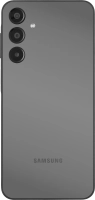
Galaxy A16 4G

Samsung Galaxy A16 4G
f-5b532328-c0d4-403a-bae8-02fc38b3952d
f-13e4350f-7815-40df-836b-f6ecb52a65d1
f-686f2be1-f2a8-447b-b6e2-0661a36824ba
f-c349d311-fee0-4a84-9956-2ddde04e0f47
f-a0b45309-e9fb-41f0-8a4c-7ae5c0bad923
f-bc16b161-f9fc-4af2-9600-c31b76312f7a
f-a27ca1bd-81b2-4115-9cd4-71274a315f3f
f-dd02f5ec-f00a-4029-9917-4d10a2dabbc3
  • Device home
  • Getting started
  • Basic functions
  • Calls, contacts, messaging
  • Connectivity
  • Specifications
  • Device home
  • Getting started
  • Basic functions
  • Calls, contacts, messaging
  • Connectivity
  • Specifications

My phone's battery life is short

Solution 5 of 15: Automatic app update is turned on

You can set your phone to update apps automatically so you always have the newest versions installed.
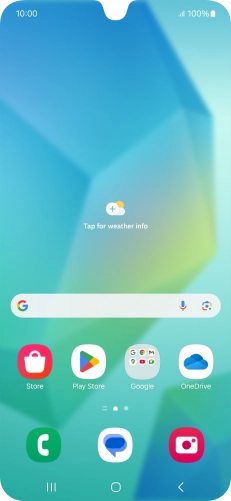
Slide your finger upwards on the screen.
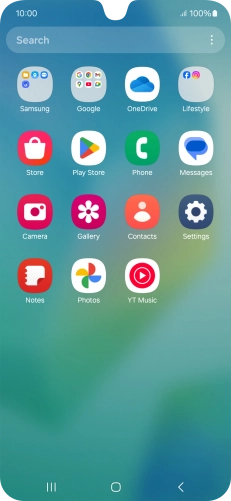
Step 1 of 11

Slide your finger upwards on the screen.

Press Play Store.
Press Play Store.
Step 2 of 11

Press Play Store.

Press the profile icon.
Step 3 of 11

Press the profile icon.

Press Settings.
Press Settings.
Step 4 of 11

Press Settings.

Press Network preferences.
Step 5 of 11

Press Network preferences.

Press Auto-update apps.
Step 6 of 11

Press Auto-update apps.

To turn on automatic update of apps using mobile network, press the field next to
Step 7 of 11

To turn on automatic update of apps using mobile network, press the field next to "Update all apps over Wi-Fi or mobile data".

To turn on limited update of apps using mobile network, press the field next to
Step 8 of 11

To turn on limited update of apps using mobile network, press the field next to "Update with limited amount of mobile data".

To turn on automatic update of apps using Wi-Fi, press the field next to
Step 9 of 11

To turn on automatic update of apps using Wi-Fi, press the field next to "Update over Wi-Fi only".

To turn off automatic update of apps, press the field next to
Step 10 of 11

To turn off automatic update of apps, press the field next to "Don't auto-update apps".

Press the Home key to return to the home screen.
Step 11 of 11

Press the Home key to return to the home screen.


Did this solve your problem?

Yes No

Get information on...

Or choose...

Show more