Help
Device guides
Samsung
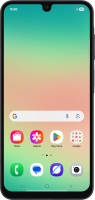
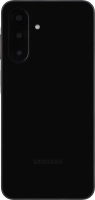
Galaxy A26 5G

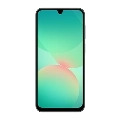
Samsung Galaxy A26 5G
f-42db3f48-a9bb-4f2d-ae64-3054ebb88068
f-fd54c792-bc59-4177-b200-61cf152aa73b
f-b708b726-c7a3-4fda-8444-f2d1d50d6610
f-eab05177-5eef-47ba-8480-f969897df007
f-cb32c6bd-c002-4a4d-bd78-3aeb401cf233
f-6fbea3aa-f449-4e10-8205-af346dba0d7c
f-5121e09d-c9f2-484e-8809-6df168e6a809
f-95a9a378-6e79-48fa-b9d5-399fadd9824e
  • Device home
  • Getting started
  • Basic functions
  • Calls, contacts, messaging
  • Connectivity
  • Specifications
  • Device home
  • Getting started
  • Basic functions
  • Calls, contacts, messaging
  • Connectivity
  • Specifications

Troubleshooting

  • It's not possible to receive messages on my voicemail
  • It's not possible to check my voicemail
  • It's not possible to send and receive text messages
  • It's not possible to send and receive picture messages
  • It's not possible to send and receive email messages
  • It's not possible to use Wi-Fi calling
  • It's not possible to make voice calls
  • It's not possible to receive voice calls

Call settings

  • Turning call waiting on or off
  • Turning your own caller identification on or off
  • Turning Wi-Fi calling on or off

Voicemail

  • Saving voicemail number
  • Diverting calls to voicemail
  • Cancelling all diverts

Call restrictions

  • Turning call barring on or off
  • Turning fixed dialling on or off

Text messaging

  • Setting up your phone for text messaging

Picture messaging

  • Setting up your phone for picture messaging

Email messaging

  • Setting up your phone for IMAP email

Get information on...

Or choose...

Show more