Help
Device guides
Samsung
Galaxy A32 5G

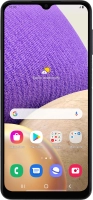
Samsung Galaxy A32 5G
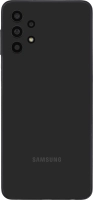
f-e73f0d2c-81c2-4bef-909c-cb474d80b3c9
f-d9a22f9c-0a71-4f9d-b731-cc64320e34de
f-977678bc-7fb5-459c-b139-00347c06f41f
f-c51bd060-4c37-4052-8594-36b21ffaf0a5
f-42d78bd0-67ba-43bc-b0f1-aec5df4e9d03
f-4d97f6c6-603e-41e8-a033-0448247a2c64
  • Device home
  • Getting started
  • Basic functions
  • Calls, contacts, messaging
  • Connectivity
  • Specifications
  • Device home
  • Getting started
  • Basic functions
  • Calls, contacts, messaging
  • Connectivity
  • Specifications

It's not possible to use Wi-Fi

Solution 4 of 4: Your phone is connected to a Wi-Fi network, but you're not logged on


Some Wi-Fi networks require you to log on via a web page.

Open the internet browser on your phone and try to load a web page. The internet browser is redirected to the homepage of the Wi-Fi network. Follow the instructions on the screen to log on to the Wi-Fi network.


Did this solve your problem?

Yes No

Get information on...

Or choose...

Show more