Help
Device guides
Samsung
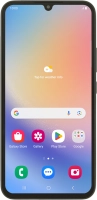
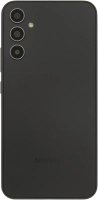
Galaxy A34 5G

Samsung Galaxy A34 5G
f-b1f7f99d-3cb8-43bd-b17e-1e8b2c6b6c03
f-8db9579f-caf8-4bf0-9751-6cb02a4148e0
f-9e635dd1-6827-4222-b9d1-45c2a563fc82
f-b539eb38-7635-4aa8-9fdf-30b21d703a7d
f-b1cc0f72-aca0-4b23-bb60-04ca596691f0
f-968cdeb2-bb10-46fa-a4dd-de0f9477c3f1
  • Device home
  • Getting started
  • Basic functions
  • Calls, contacts, messaging
  • Connectivity
  • Specifications
  • Device home
  • Getting started
  • Basic functions
  • Calls, contacts, messaging
  • Connectivity
  • Specifications

It's not possible to start my phone

Solution 4 of 7: Your SIM has been permanently blocked


If your SIM has been permanently blocked, you'll need a new SIM.

Call customer services on 150 (from an EE phone) or 07953 966 250 (from other phones) to have a new SIM sent to you. You can also visit your nearest EE store to order a new SIM. Remember to bring valid picture ID.


Did this solve your problem?

Yes No

Get information on...

Or choose...

Show more